Plans and payments
How to upgrade your SerpPal plan and pay by card through Dodo Payments or, in Bangladesh, with bKash, Nagad, Rocket or a local card through EPS in BDT.
Every SerpPal account starts on the free plan. When you need more analyses, AI words or keyword plans, you can upgrade from the Plan and billing page. This page explains how paying works. For what each plan includes and costs, see /pricing; for how the limits work, see Plans and limits.
The Plan and billing page
Click Billing in the sidebar (or Change plan on your Account page). The page has four parts:
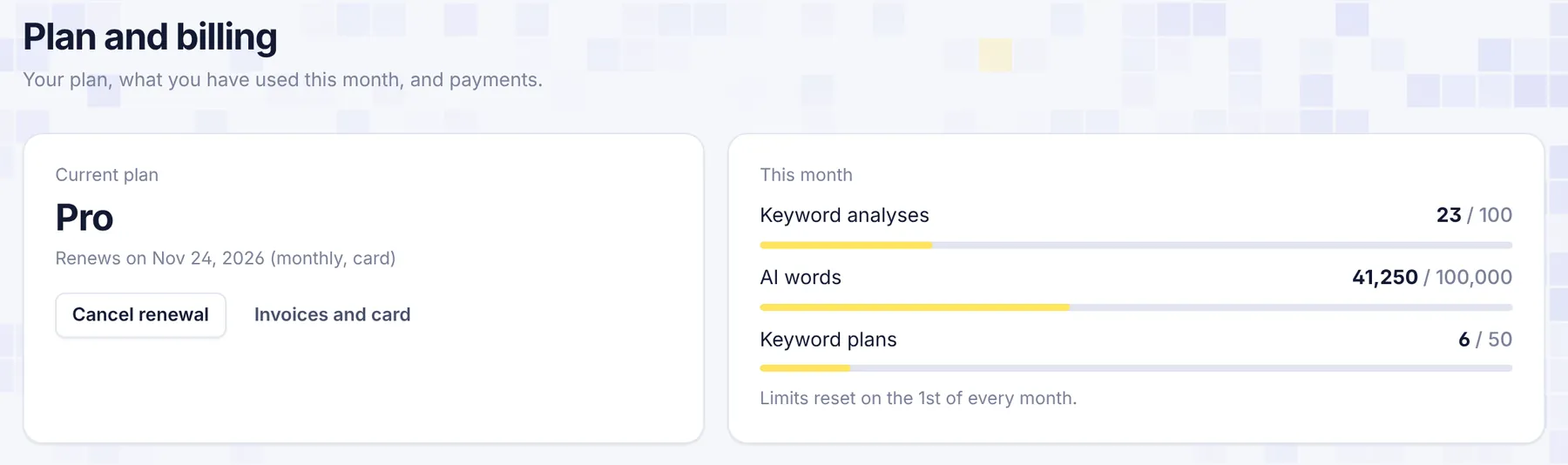
- Current plan: your plan's name and its status, for example "Renews on Nov 24, 2026 (monthly, card)" or "Active until Dec 5, 2026, paid with EPS". Card subscribers also see Cancel renewal and Invoices and card here.
- This month: how many keyword analyses, AI words and keyword plans you have used, against your plan's limits. "Limits reset on the 1st of every month."
- Plans: the plans you can buy, with a Monthly and Yearly switch. Yearly plans cost less per month; the switch shows how much you save.
- Payments: every payment you made or started, with its date, plan, method, amount and status.
Ways to pay
Prices are in US dollars. You can pay in two ways:
| Card | EPS (Bangladesh) | |
|---|---|---|
| Who it's for | Anyone, anywhere | Customers in Bangladesh |
| How you pay | Visa, Mastercard, American Express and more | bKash, Nagad, Rocket or a local bank card |
| Currency | US dollars (your bank may convert it) | Bangladeshi taka (BDT), at the rate shown before you pay |
| Processed by | Dodo Payments, the merchant of record for card payments | EPS (Easy Payment System) |
| Renewal | Renews automatically every month or year until you cancel | One payment for 1 month or 1 year. No automatic renewal |
| Invoices | Yes, from Invoices and card | Your EPS or wallet receipt; ask support for a SerpPal receipt |
Taxes may be added to card payments where the law requires them. SerpPal never sees or stores your full card number or your wallet details.
Upgrade by card
- On Plan and billing, choose Monthly or Yearly.
- Click Get and the plan's name, for example Get Pro.
- Click Card. You go to Dodo Payments' secure checkout.
- Enter your card details and pay.
- You come back to SerpPal with "Thank you, your payment went through." Your plan turns on as soon as the payment is confirmed, usually within a minute. The page updates by itself; your new limits apply right away.
Pay with EPS (bKash, Nagad, Rocket or a local card)
- On Plan and billing, choose Monthly or Yearly and click Get and the plan's name.
- Click bKash, Nagad, Rocket or local card. The amount in BDT is shown under it, with "One payment for 1 month, no auto-renew" (or 1 year).
- Enter your Mobile number (
01XXXXXXXXX) and click Pay ... BDT with EPS. - On the EPS page, pick bKash, Nagad, Rocket or a card and pay.
- You come back to SerpPal. SerpPal checks the payment with EPS itself, and your plan is active as soon as EPS confirms it.
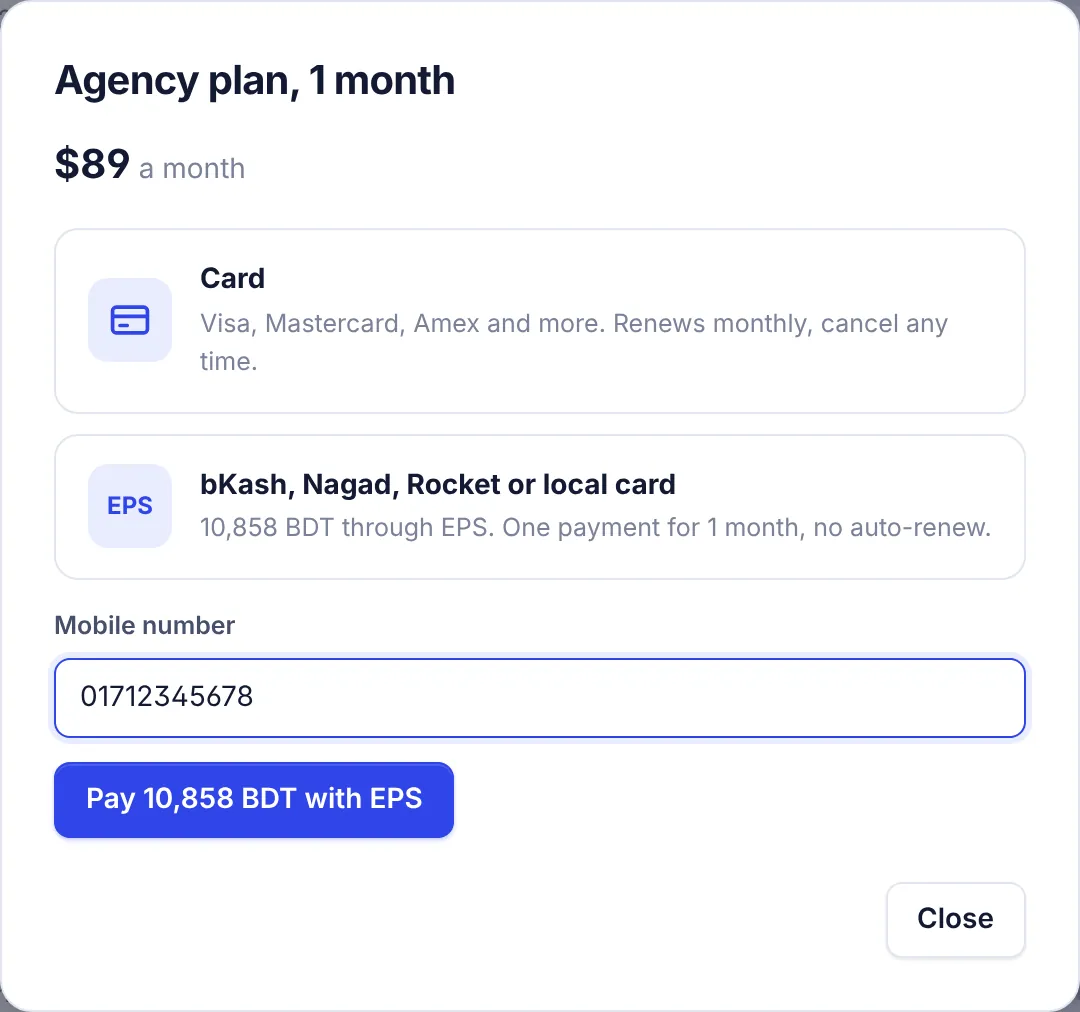
The BDT amount is the US dollar price times SerpPal's exchange rate, rounded. It is fixed when you click Pay, so what you see is what you pay.
After you pay
When you come back from the payment page, a message at the top of Plan and billing tells you what happened:
| Message | What it means |
|---|---|
| "Thank you, your payment went through." | Paid. Your plan is active, or turns on within a minute for card payments. |
| "You cancelled the payment. Nothing was charged." | You left the payment page without paying. |
| "The payment did not go through. Nothing was charged..." | The payment failed. Try again or use another method. |
| "We received a payment that did not match the price..." | The amount paid was less than the price. We check it by hand and email you. |
| "We could not confirm the payment yet..." | SerpPal couldn't reach EPS to confirm. If money left your account, it is applied within a few minutes; otherwise write to support. |
In the Payments table, each payment has a status: Paid, Not finished (started but not completed), Checking (being reviewed), Cancelled or Failed.
Invoices and receipts
- Card: click Invoices and card on Plan and billing to open Dodo Payments' customer portal. There you can download invoices and update your card.
- EPS: EPS and your wallet send their own receipt. If you need an invoice from SerpPal, email [email protected] from your account's email.
Common questions
Do I need a card for the free plan? No. The free plan needs no payment details.
I paid by card but my plan didn't change. Card payments are confirmed a few seconds after you return. The page checks for about a minute. If it still shows your old plan after a few minutes, reload the page, then contact support with the payment date and amount.
I paid with EPS and closed the tab before coming back. Your payment is stored as Not finished until it is confirmed. Write to support; we can check it with EPS and apply it.
I see "Online payment is being set up." Payments are briefly unavailable. Email [email protected] to upgrade.
Can a company or agency pay for several people? Each account has its own plan, and team members you invite sign in with their own accounts. See Team members, and contact us about paying for several accounts.
What if I use up my limits? You keep everything you made. New analyses or AI words wait until the 1st of next month, or you can upgrade right away. See Plans and limits.
Next: Change, renew or cancel and Refunds.