On this page
The best SEO plugin for most WordPress sites is Yoast SEO or Rank Math: both are free, both handle your search titles and descriptions, sitemaps and schema, and both are easy for beginners. If you want something lighter, The SEO Framework does the essentials with almost no setup, and a few small sites don't need an SEO plugin at all.
This guide compares the five WordPress SEO plugins most site owners choose between, explains what a plugin actually does (and what it can't), and shows you how to pick one in about ten minutes.
Key takeaways
- An SEO plugin manages the technical layer of your site: the snippet Google shows, XML sitemaps, schema, crawl settings and redirects. It doesn't write or improve your content.
- Yoast SEO and Rank Math are the safest picks for most sites. AIOSEO suits beginners who want a guided setup, SEOPress suits agencies, and The SEO Framework suits people who want a lightweight plugin with few options.
- The free version of every plugin here covers what a typical blog needs. Paid tiers add extras like a redirection manager, more markup types and WooCommerce features.
- Run one SEO plugin, never two. Two plugins print duplicate code in the page head and confuse search engines.
- Plugins don't make you rank higher on their own. Rankings come from the content and the links, so pick one, set it up once, and spend your time on the pages.
What does a WordPress SEO plugin do?
WordPress gives you clean addresses, a basic title tag and, since version 5.5, a simple XML sitemap. That's a decent start, but it leaves gaps. Core WordPress doesn't let you write a custom summary for each post's snippet, add rich markup, hide a thin page from Google, or send visitors to a new address when you move a page.
A WordPress plugin for SEO fills those gaps. Most of the functionality falls into five groups:
- Meta tags. A custom meta title and meta description for every post and page, with a preview of the search result.
- XML sitemaps. An index file of your posts, pages and categories that you submit in Google Search Console, so search engines crawl new pages sooner.
- Schema markup. Structured data types such as Article, Organization, FAQ and Product that helps Google understand the page and can earn rich snippets.
- Crawl controls. Noindex for thin archives, canonical URLs to avoid duplicate pages, and robots.txt editing.
- Content analysis. A focus keyword checker and readability analysis that flag basics like a keyword missing from the title, long sentences or images without alt text.
On top of that, most add social media previews (Open Graph), breadcrumbs, local SEO, store features and, more and more, AI features that write the snippet text for you.
What an SEO plugin can't do
A plugin can tell you the focus keyword is missing from your title. It can't tell you whether your post answers the search better than the pages already ranking. Those are different questions, and the second one decides your visibility.
The checks in these plugins look at your page on its own. They don't compare it with the top results, so a post can get a green light and still miss half the subtopics searchers expect. That's the job of SEO tools built for content optimization, which we cover near the end.
The best WordPress SEO plugins compared
Here's how the five main options compare. Every plugin in the table has a free version on WordPress.org and a premium upgrade.
| Plugin | Best for | Free version covers | Paid version adds | Ease of use |
|---|---|---|---|---|
| Yoast SEO | Most blogs and business sites | Search snippets, sitemaps, schema, readability analysis | Redirect manager, several keywords per post, internal linking suggestions | Easy |
| Rank Math | Users who want many features free | Snippet editor, sitemaps, schema templates, redirection, 404 monitor, Search Console integration | More markup types, keyword rank tracking, store extras | Moderate |
| AIOSEO | Beginners who want a guided setup | Setup wizard, snippet fields, XML file, on-page checklist | Moved-page handling, local SEO, store features, link assistant | Easy |
| SEOPress | Agencies and freelancers | Search titles, sitemaps, social media previews, no ads in the dashboard | White-label, schema, page forwarding, WooCommerce | Moderate |
| The SEO Framework | Lightweight, low-maintenance sites | Automated snippets, sitemaps, basic markup | Extensions for local SEO, focus keyword and monitoring | Very easy |
Yoast SEO: the reliable default
Yoast SEO has been the most installed WordPress SEO plugin for years, and it earns that by being predictable. You install it, run the configuration workflow, and every post gets an SEO title, a summary for the snippet, markup and a place in the sitemap.
The free version gives you one focus keyword per post, the readability analysis (sentence length, passive voice, transition words) and a Google preview. Yoast SEO Premium adds a tool to forward moved pages, related keyphrases, internal linking suggestions and AI-powered snippet suggestions. There are separate add-ons for WooCommerce SEO, local businesses, video and news sites.
Pick Yoast if you want the plugin most WordPress guides and developers already know. The trade-off is more upgrade prompts than some alternatives, and the traffic-light scores can push writers to chase green dots instead of writing for the reader.
Rank Math: the most features in a free plugin
Rank Math packs a lot into its free version: up to five focus keywords per post, markup templates for articles, products and recipes, moved-page handling, a 404 monitor, and an integration that shows real-time Google Search Console and Google Analytics insights inside the dashboard.
Setup takes a little longer because there are more modules, but you can switch off what you don't need. Rank Math Pro adds more rich result types, keyword rank tracking and extra options for e-commerce sites, and there's a paid AI add-on for writing help.
Pick Rank Math if you want redirection and detailed markup without paying. The trade-off is a busier interface that can overwhelm beginners.
AIOSEO: guided setup for beginners
All in One SEO (AIOSEO) is one of the oldest all-in-one SEO plugins and is now built around a setup wizard and an on-page checklist it calls TruSEO. It's an intuitive choice if you'd rather answer a few questions than adjust dozens of SEO settings manually.
The free version (AIOSEO Lite) handles meta title fields, the XML file and the content checks. The paid plans add more SEO features: local SEO, WooCommerce support, an internal link assistant and extra markup.
Pick AIOSEO if you're new to SEO and want the plugin to walk you through it. The trade-off is that several useful features are only in the premium plans.
SEOPress: affordable SEO management, white-label
SEOPress covers the same essentials without ads or upsell banners in your dashboard. SEOPress Pro adds rich markup, WooCommerce support, broken link checks and white-label options, which is why agencies and SEO specialists like it: clients see your branding, not the plugin's.
Pick SEOPress if you manage sites for clients. The trade-off is a smaller community, so you'll find fewer tutorials than for Yoast or Rank Math.
The SEO Framework: lightweight and automated
The SEO Framework takes the opposite approach. It's built around automation: it can generate search snippets and basic markup from your content, with no traffic lights and no upsell notices. If you never touch a setting, it still does sensible things.
It's one of the lightest options, which suits sites where you want the fundamentals handled and nothing else. Its simplicity is the selling point, and the plugin helps most on sites with a single author who'd rather not manage SEO settings. Paid extensions add local SEO, a focus keyword check and monitoring.
Pick The SEO Framework if you want automated SEO you don't have to think about while optimizing other parts of the site. The trade-off is fewer suggestions while you write.
How to choose the right plugin for your website
Most site owners overthink this. The core features are close, and Google doesn't rank a site higher because of which plugin prints its code. Choose based on how you work:
- You want the safe, well-documented option: Yoast SEO.
- You want the most features in a free plugin: Rank Math.
- You're a beginner and want a guided setup: AIOSEO.
- You build sites for clients: SEOPress.
- You want something light that runs on its own: The SEO Framework.
Key factors to consider before buying
- Your site type. E-commerce sites need product markup and category page controls. A local business needs local SEO details like its address and opening hours. A blogger mostly needs good snippets and a sitemap.
- Your theme and builder. Some themes and page builders work more smoothly with one plugin. Check your theme's documentation.
- Updates and support. Look at when the plugin was last updated on WordPress.org, how quickly support threads get answers and whether it has an API or integration with the other SEO tools you use. Regular updates matter because search features change.
- The extras you'll actually use. Plans are priced per site, so paying for a premium version makes sense if you change URLs often. Unlimited keywords per post sound nice, but most posts only need one main keyword.
Ease of use and accessibility
Open the settings screen before you commit. If it feels cluttered, you'll avoid it, and a plugin you avoid doesn't help. A user-friendly plugin explains each option in plain words and lets you hide what you don't use. Check that its editor panel works with keyboard navigation and screen readers if anyone on your team relies on them.
Using multiple SEO plugins safely
Don't run two general SEO plugins together. Both will print a title, a summary, canonical links and markup, and search engines will see conflicting signals. Pick one, deactivate the other, and import its settings if you're switching. Rank Math, AIOSEO and SEOPress can all import from Yoast.
It's fine to pair your SEO plugin with tools that do a separate job, like caching, image compression or a dedicated markup plugin, as long as you turn off the overlapping feature in one of them.
When you don't need an SEO plugin
A WordPress SEO plugin is useful, not required. You can skip it if:
- The site has a handful of pages that rarely change, like a portfolio or a small brochure site.
- Your theme already outputs a snippet field and markup, which some modern themes do.
- You publish through a headless setup or another system that writes the metadata for you.
Core WordPress still gives you an XML sitemap at /wp-sitemap.xml, a page title and a canonical link on single posts. Google's documentation on building and submitting a sitemap explains how to submit it in Search Console.
What you lose without a plugin is control: custom snippets, noindex for thin pages, richer markup and redirects. For any site that publishes regularly, that control is worth one free plugin.
How to install and set up an SEO plugin
The steps are almost the same for every plugin:
- In your WordPress dashboard, go to Plugins, then Add New, and search for the plugin by name.
- Install and activate it, then run its setup wizard. Tell it what kind of site you run and add a logo for the Organization schema.
- Set your title format (post title, separator, site name) and decide which archives to noindex. Category archives you don't use and author archives on single-author blogs are common candidates.
- Check that the sitemap loads, then submit it in Google Search Console.
- Open your most important posts and write a proper meta title and summary for each. Our guide to writing meta descriptions covers length and wording, and the free SERP preview tool shows how they'll look in search results.
Rich snippets and click-through rates
Schema doesn't guarantee rich results, but it makes your pages eligible for them, such as review stars, FAQ dropdowns, recipe cards and page trails in the result. Those snippets can make a listing stand out and earn more clicks at the same position. Every plugin above adds Article and Organization markup by default; add more specific types only when the page really contains that content. Google's introduction to schema types lists what each type needs.
Do SEO plugins slow down a WordPress site?
Barely. These plugins mostly run in the admin area and add a few lines of HTML to each page. Feature-heavy plugins load more code, so if speed matters, turn off modules you don't use or choose a lightweight option. Image optimization, your theme and hosting have a much bigger effect on SEO performance and speed.
The plugin handles the code; the content earns the rank
Once your plugin is set up, it mostly runs in the background. The work that moves rankings is on the page: answering the search better than the results already there, covering the subtopics searchers expect, clear headings, and links to related posts. Our on-page SEO checklist walks through those best practices step by step, the same way an SEO expert would audit a page. AI SEO features in plugins can generate a first title or summary, but they don't decide what the page should cover.
This is where a plugin's content analysis stops. Its keyword optimization check looks at your post alone and can't tell you what the top pages cover. A content optimizer compares your draft with the top-ranking pages, shows the terms, topics and headings you're missing, and gives real-time content insights as a score that rises while you improve the draft. It's the step between keyword research and publishing, and it helps you optimize the words, not just the code.
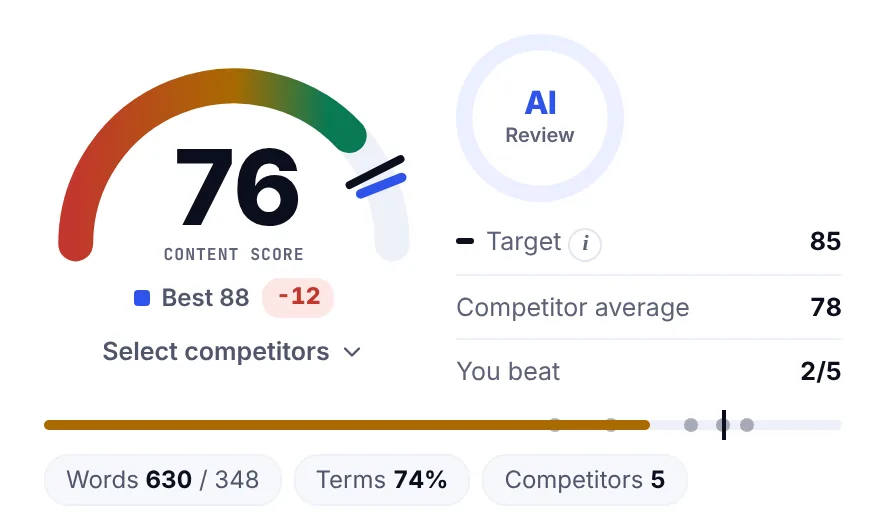
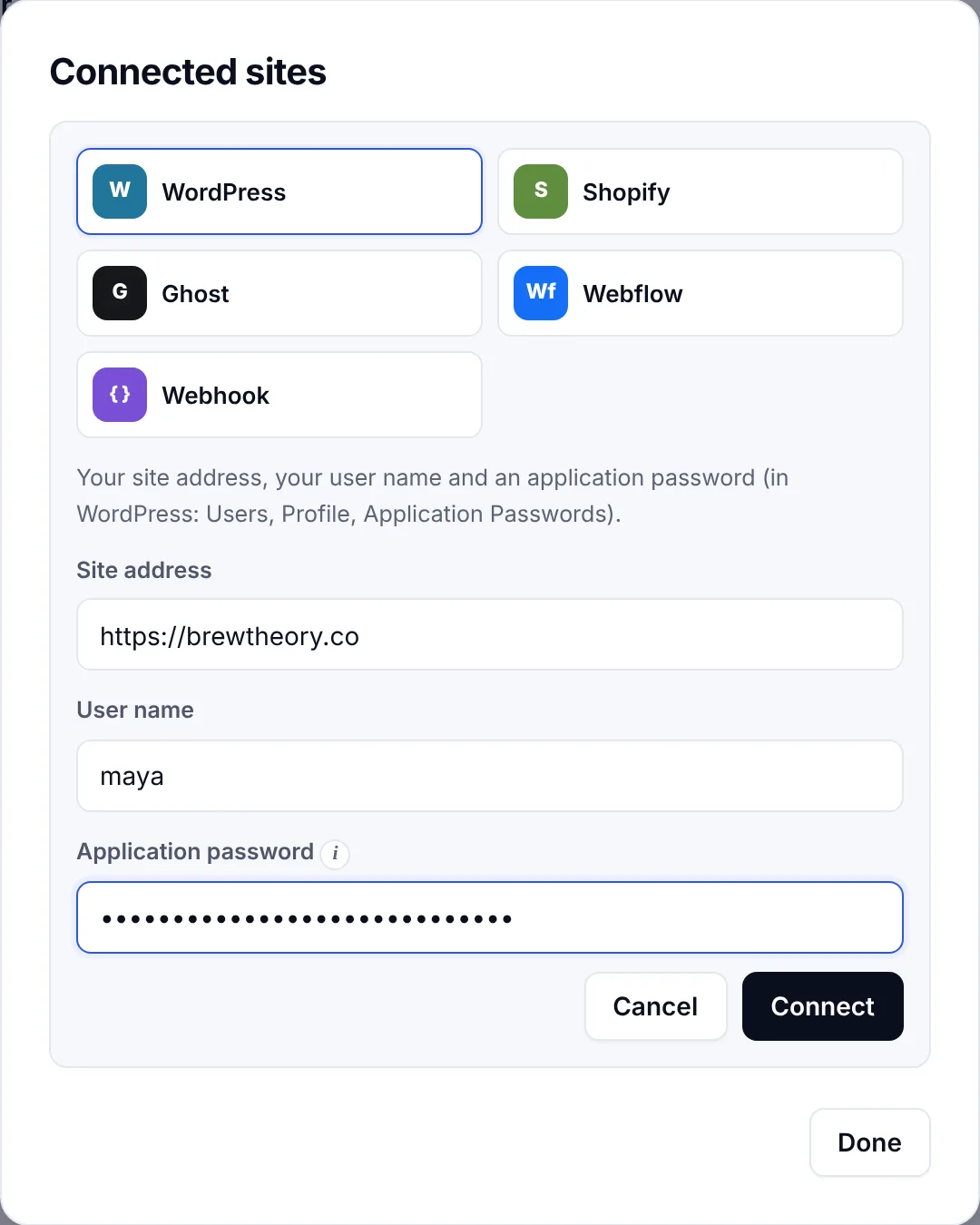
SerpPal works this way, and it can publish the optimized post straight to your site, with images and categories, once you connect WordPress. Your SEO plugin then adds the meta tags, markup and sitemap entry as usual. For the rest of the WordPress side, see our guide to WordPress on-page SEO.
FAQ
What is the best SEO plugin for WordPress?
For most sites, Yoast SEO or Rank Math. Both are free, well supported and cover meta tags, sitemaps and schema markup. Rank Math includes more features in its free version, while Yoast is the most widely documented. Beginners who want a guided setup often prefer AIOSEO, and marketers who manage many client sites often choose SEOPress.
Is a free SEO plugin enough?
Yes, for most blogs and small business sites. The free versions of the best WordPress SEO plugins handle search snippets, the XML file, markup and noindex rules. Upgrade only when you need a specific extra, such as moved-page handling in Yoast or WooCommerce features for a shop.
Does WordPress need an SEO plugin?
Not strictly. WordPress includes a basic sitemap, a page title and canonical links. But without a plugin you can't easily write a custom snippet for each page, add rich markup, noindex thin pages or forward moved pages, so most sites that publish regularly install one.
Which SEO plugin is best for a blogger?
A blogger mostly needs good snippets, a sitemap and a readability check while writing. Yoast SEO's free version fits well because its readability analysis flags long sentences and passive voice. If you'd rather not think about it, The SEO Framework handles the basics with almost no setup.
Can I switch SEO plugins later?
Yes. Rank Math, AIOSEO and SEOPress can import your SEO settings and snippet text from Yoast and from each other. Back up your site, run the import on a staging copy, check a few pages, then deactivate the old plugin.