Better writing on every site.
Free grammar and spelling checks in any text box, a word counter and an AI detector, no account needed. Sign up free to paraphrase and humanize right where you write.
Install it and start writing.
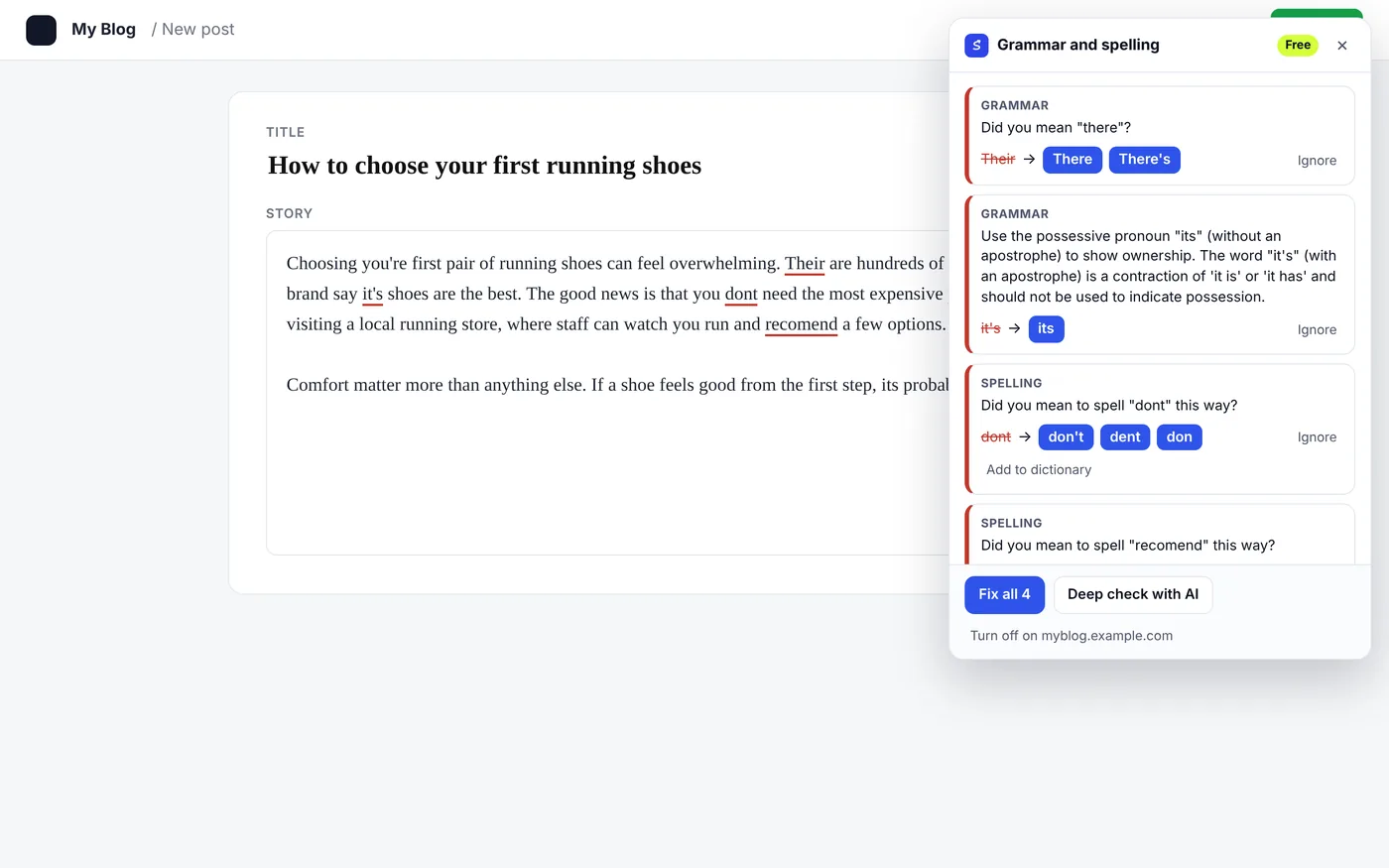
Grammar and spelling
Underlines mistakes as you type in email, social posts, forms and editors. Click a word to fix it.
Checked on your device
Your text never leaves your browser for the grammar check. Turn it off for any site.
Word count and readability
Select any text to see words, reading time, readability, grade level and top keywords.
AI detector
Select at least 40 words and see how much reads as AI, sentence by sentence. 5 free checks an hour.
Google results bar
Each result's position and title length, plus a button to analyze the keyword in SerpPal.
Right-click menu
Select text and right-click for every SerpPal tool, on any page.
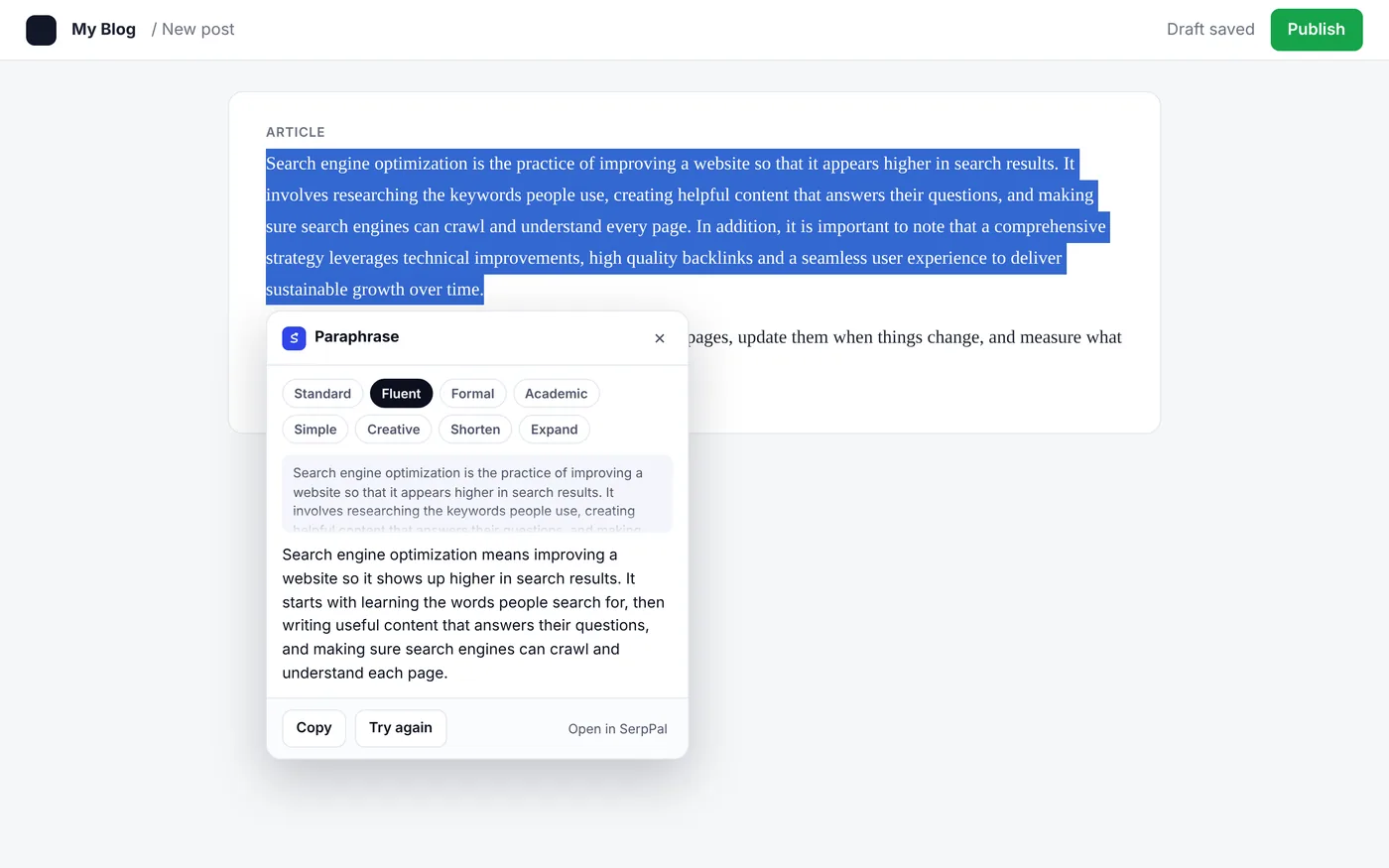
Paraphrase and humanize in place.
Select a sentence or a paragraph and pick a tool. The result streams in, and one click replaces your text in the box you are writing in.
- Paraphraser. 8 styles: Standard, Fluent, Formal, Academic, Simple, Creative, Shorten and Expand.
- AI humanizer. Make AI drafts read naturally, in the tone you pick.
- AI grammar check. A deeper check that also explains each fix.
- Longer AI checks. Check texts over 1,000 words with the limits of your plan.
Is the SerpPal extension free?
Yes. The grammar and spelling checker, the word counter and readability score, and the Google results bar are free with no account and no limit. The AI detector gives 5 free checks an hour without an account.
Do I need an account?
Not for the free tools. The paraphraser, the AI humanizer, longer AI checks and the AI grammar check need a free SerpPal account, and they use the limits of your plan.
Is my text sent anywhere when I type?
No. Grammar and spelling are checked on your own device. Text is sent to SerpPal only when you click one of the AI tools, and only the text you selected.
Which sites does it work on?
Text boxes and editors on most websites, such as email, social media, forms, CMS editors and comment boxes. You can turn the checker off for any site from the extension.
Which English does it check?
American, British, Canadian, Australian or Indian English. Pick yours in the extension settings.
How do I sign in?
Sign in on serppal.com in the same browser. The extension uses that sign-in, so there is nothing else to set up.
Your next page-one article starts here.
Free plan with every tool. No card needed.