On this page
- How an HTML link works: syntax, attributes and the browser
- Internal link examples in HTML
- External link examples in HTML
- The link tag is not a link: linking CSS to HTML
- Internal vs external links: the difference at a glance
- Why are internal links important for SEO? Structure, crawling and authority
- What external links do for SEO performance
- Anchor text and accessibility
- Common HTML linking mistakes
- How to check the links on a page
- Conclusion
- FAQs
Here's the simplest example of internal and external linking in HTML, the two types of links every webpage uses: <a href="/about/">About us</a> is an internal link, because it points to a page on the same website, and <a href="https://developer.mozilla.org/">MDN Web Docs</a> is an external link, because it points to a different domain. Both use the same anchor element and the same href attribute; the destination is the only difference. This guide gives you copy-ready snippets of each link type, explains the attributes that matter (target, rel, fragment identifiers), shows why the <link> tag for CSS is not a hyperlink, and covers what internal and external links each do for SEO and site structure.
Key takeaways
- Internal links point to your own website (relative or absolute URL); external links point to another site.
- Both are made with
<a href="...">anchor text</a>. The<link>element loads resources such as CSS and is not a clickable link. - External links that open in a new window need
rel="noopener"; paid or untrusted external links needrel="sponsored",rel="ugc"orrel="nofollow". - For SEO, internal links distribute authority (link juice) and help web crawlers find pages; external links add credibility and context but pass authority away from your website.
- Descriptive anchor text helps people, screen readers and search engines alike. "Click here" helps nobody.
How an HTML link works: syntax, attributes and the browser
A hyperlink in HTML is an anchor element: an opening <a> tag with an href attribute that specifies the destination, the visible anchor text, and a closing </a>. That's the whole syntax. The browser renders the text as clickable and, on click, requests the URL in href. Everything else (new tabs, nofollow, jumping to a section) is added with attributes or by changing what the href points to.
<a href="https://www.yoursite.com/pricing/">See pricing</a>Whether a link is internal or external has nothing to do with how it looks and everything to do with where the href goes. Same site: internal. Different site: external. A subdomain (blog.yoursite.com from www.yoursite.com) is usually treated as internal for SEO purposes, but technically it's a different host.
Internal link examples in HTML
1. Relative path to another webpage on your website
<a href="/services/">Explore our services</a>A root-relative path starts with a slash and is resolved against the current domain. It's the most maintainable form for internal links: if the site moves from staging to production, or from http to https, the link still works.
2. Absolute URL on your own domain
<a href="https://www.yoursite.com/contact/">Contact our team</a>Still an internal link, because the domain is yours. Absolute URLs are useful in email templates and RSS feeds where relative paths would break, but inside your own pages the relative form is easier to keep correct.
3. Link to a section on the same page (anchor link)
<a href="#pricing">Jump to pricing</a>
...
<h2 id="pricing">Pricing</h2>
A fragment identifier (the part after #) scrolls to the element with the matching id. IDs must be unique on the page. You can combine a path and a fragment to deep-link into another page: href="/guide/#step-3". These are sometimes called anchor links or jump links; they help people reach different sections of a long page, and Google can show them as sitelinks in the SERPs.
4. Contextual link inside body content
<p>Before you add links, plan the structure with a
<a href="/docs/projects-and-teams/sitemap-and-internal-links">sitemap and internal links</a> guide.</p>
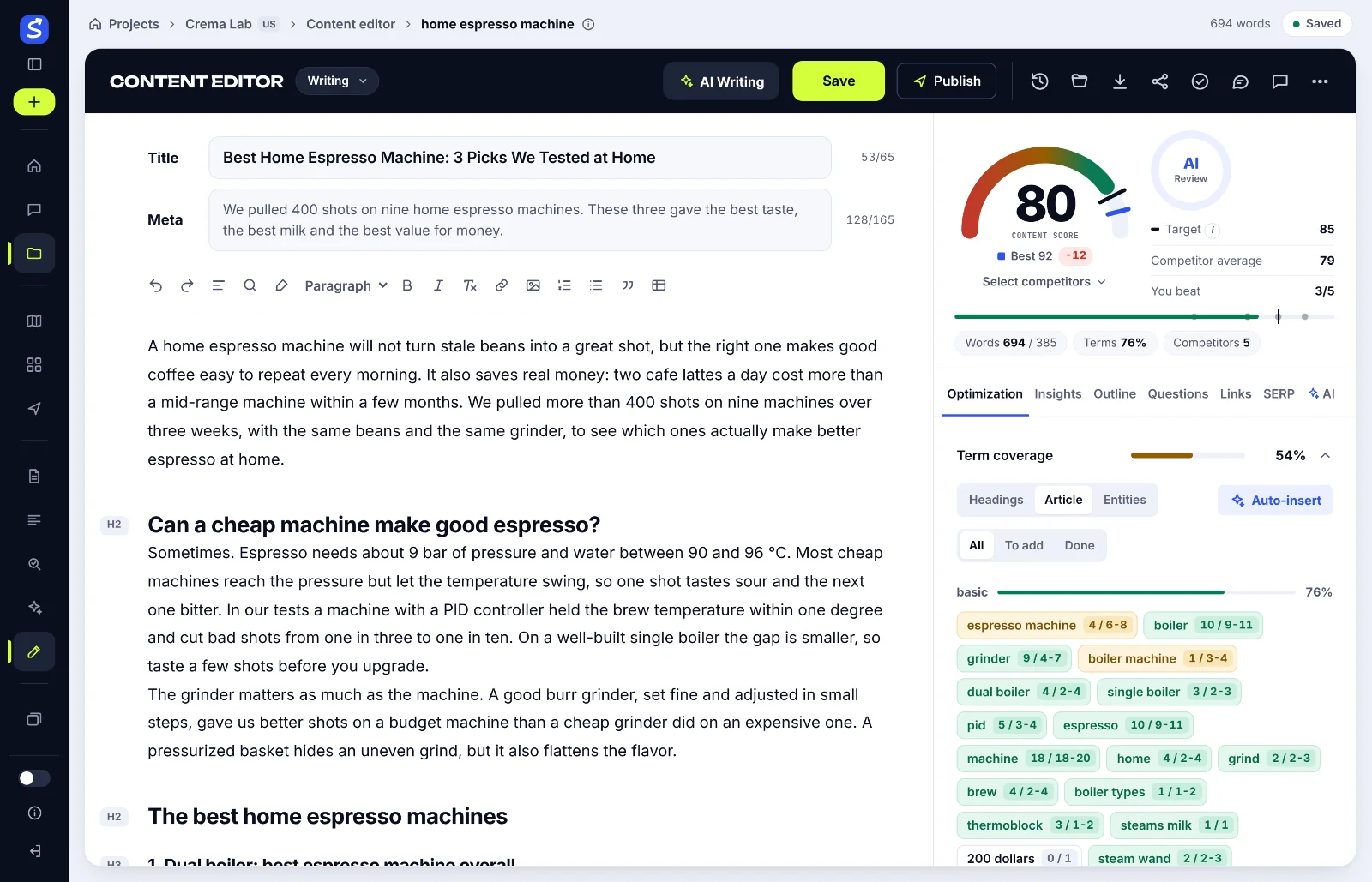
Contextual links sit inside relevant sentences rather than in a header, menu or footer. They carry the most meaning for people and for search engines, because the surrounding content gives the link contextual relevance: the sentence explains how the two web pages relate. That's the kind of internal link SerpPal suggests while you write: it reads your sitemap and offers existing pages to link where the sentence fits; see sitemap and internal links.
5. Navigation and breadcrumb links
<nav aria-label="Breadcrumb">
<a href="/">Home</a> ›
<a href="/blog/">Blog</a> ›
<span>Internal vs external links</span>
</nav>Navigational links (header menus, breadcrumbs, footers, category taxonomies) are internal links that appear on every page. They define the site structure crawlers see and help users navigate, but because they're repeated sitewide, each one carries less weight than a contextual link.
External link examples in HTML
6. Plain external link
<a href="https://developer.mozilla.org/en-US/docs/Web/HTML/Element/a">The anchor element on MDN</a>Use the full URL including https://. The anchor text should say what the reader will find, not where it is. External links cite sources, credit tools and point to further reading, and irrelevant ones only send people away.
7. External link that opens in a new browser tab
<a href="https://othersite.org/report.pdf" target="_blank" rel="noopener">Download the report (PDF)</a>target="_blank" opens the destination in a new window or tab. Always pair it with rel="noopener" (modern browsers imply it, but be explicit): without it, the new page gets a reference to your page's DOM through window.opener and can redirect it. Use this sparingly; people expect links to behave like links, and the back button is the usual way home.
8. External link with the nofollow attribute, sponsored or ugc
<a href="https://partner.othersite.org/offer" rel="sponsored">Partner offer</a>
<a href="https://forum.othersite.org/thread/123" rel="ugc">Forum discussion</a>
<a href="https://unknown.othersite.org/" rel="nofollow">Unverified source</a>
The rel attribute specifies how search engines should treat the link. sponsored marks paid links and affiliate links, ugc marks user-generated content such as comments, and the nofollow attribute is the general hint not to pass ranking credit. Google treats all three as hints. Don't add nofollow to every external link by default; linking to good sources is normal and Google's own documentation on qualifying outbound links explains when each value applies.
The link tag is not a link: linking CSS to HTML
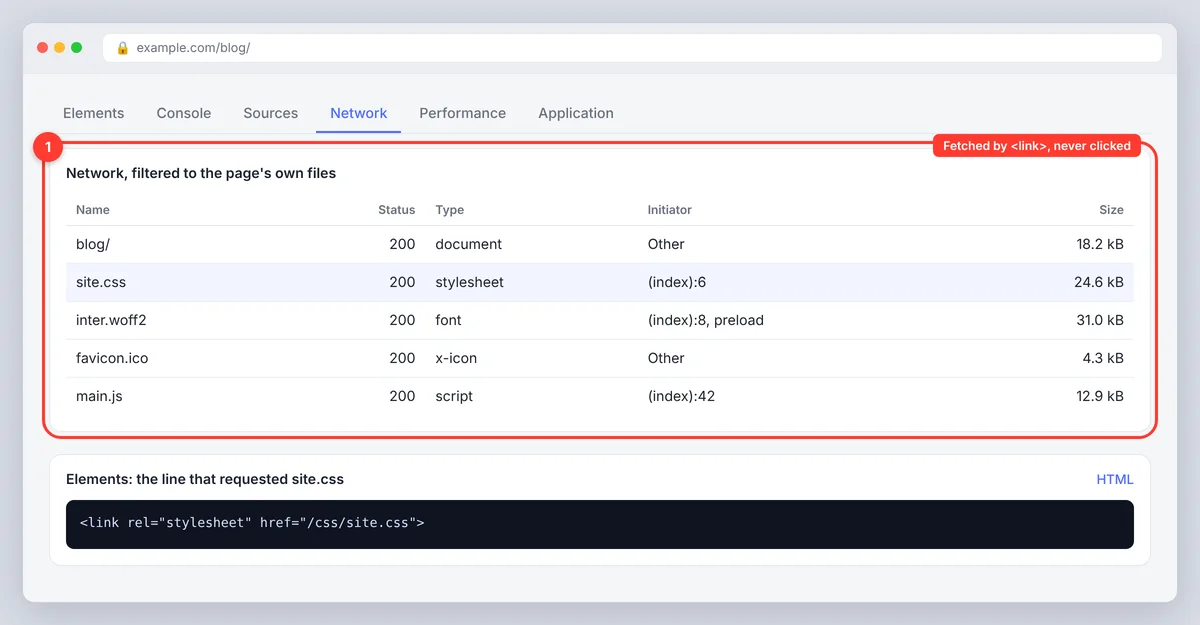
<link rel="stylesheet" href="/css/site.css">
<link rel="icon" href="/favicon.ico" sizes="32x32">
<link rel="preload" href="/fonts/inter.woff2" as="font" crossorigin>
The <link> element goes in the document <head> and tells the browser to fetch a resource: the first line loads and applies a stylesheet. It also uses href, which is why it's confused with hyperlinks, but it renders nothing in the page and can't be clicked. Other common uses are rel="icon" for providing icons in different sizes and usage contexts (favicon, Apple touch icon), rel="canonical" for the preferred URL of a page, rel="preload" with the crossorigin attribute for fonts (fonts are fetched as cross-origin requests even from your own domain), and rel="alternate stylesheet" or rel="alternate" for optional themes, feeds and translated versions. When you need to load a resource, use <link> (or <script src> for JavaScript); when you need a user to go somewhere, use <a>.
Internal vs external links: the difference at a glance
| Internal link | External link | |
|---|---|---|
| Destination | A page on the same domain | A page on another domain |
| Typical href | /blog/ or https://www.yoursite.com/blog/ | https://othersite.com/page/ |
| Main purpose | Navigation, related content, topic clusters, passing authority | Citing sources, crediting tools, further reading |
| SEO value | Distributes link equity inside your website; faster crawling and indexing | Signals credibility and context; passes authority to the other website |
| Usual attributes | None needed | rel="noopener" with new tabs; sponsored, ugc or nofollow where relevant |
| Who controls the destination | You | Someone else; check it periodically for link rot |
Why are internal links important for SEO? Structure, crawling and authority
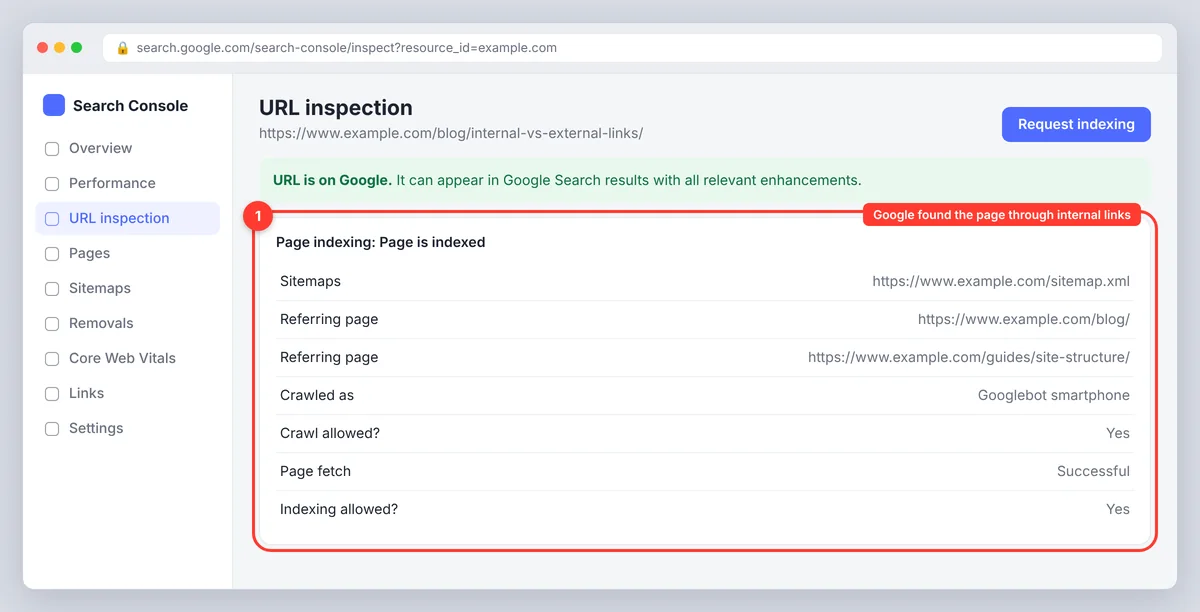
Internal links help search engines in three ways. Faster crawling and indexing: crawlers discover web pages by following links, so a page with no internal links (an orphan page) may never be crawled or indexed, while a well-linked page is found within days. Authority: a page with many backlinks can share its PageRank with the pages it links to, which is how a strong guide lifts a new blog post or a landing page; PageRank still flows along links, internal ones included. Relevance: anchor text tells Googlebot what the target page is about, which supports visibility in search results for the query you want it to rank for, and a linked page inherits some of the topical context of the page linking to it. In practice, internal linking is the most controllable part of an on-page SEO strategy, because every link is yours to add, and link building from other sites is not. Search engines can only rank content they've found, so guiding the crawl to your important pages is the first job of any link. Our guide to internal linking tools and strategies covers the audit side; the HTML side is simply the anchor element used well.
Internal linking best practices
- Link new pages from older, relevant pages that already rank, not just the other way round.
- Use descriptive, varied anchor text; avoid the same exact-match keyword on every link.
- Keep important pages within three clicks of the homepage, and link each pillar page to the posts in its topic cluster.
- Fix broken links and links to redirected URLs; both waste crawl budget.
- Don't add nofollow to internal links. It blocks the authority you're trying to pass.
- Prefer contextual links in body content over footer link lists for anything you want to rank.
- Audit your internal links regularly: a quarterly crawl catches orphan pages, broken links and important pages that have drifted too deep.
What external links do for SEO performance
Linking out to authoritative sources doesn't directly raise your rankings, but it makes a page more useful and more credible, which is what Google's quality guidance rewards. External links also pass authority to the destination, which is why paid placements must be marked sponsored. The external links that matter most for your SEO are the ones pointing to you from other sites, known as backlinks or inbound links; those are earned, not written. You can see which sites link to you in Search Console, as our guide to checking backlinks in Google Search Console shows. Keep your own outbound links relevant, limit them to sources that add something, and check them a couple of times a year, because external pages move and die.
Anchor text and accessibility
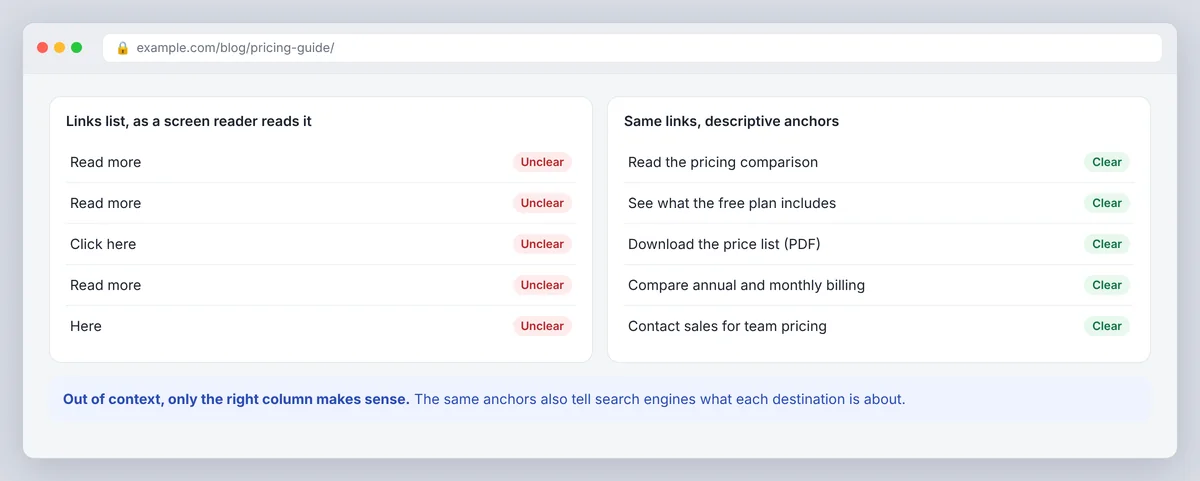
Screen readers often present a list of all links on a page, out of context. "Read more" five times tells the listener nothing; "read the pricing comparison" does. The same descriptive anchor text helps sighted visitors scanning the page, adds clarity about where links lead, and helps search engines classify the destination. Keep anchors short enough to scan, make the link visually distinct from body text (underline or clear colour contrast), and never use an image as the only link without alt text describing the destination.
Common HTML linking mistakes
- Forgetting the protocol on an external link:
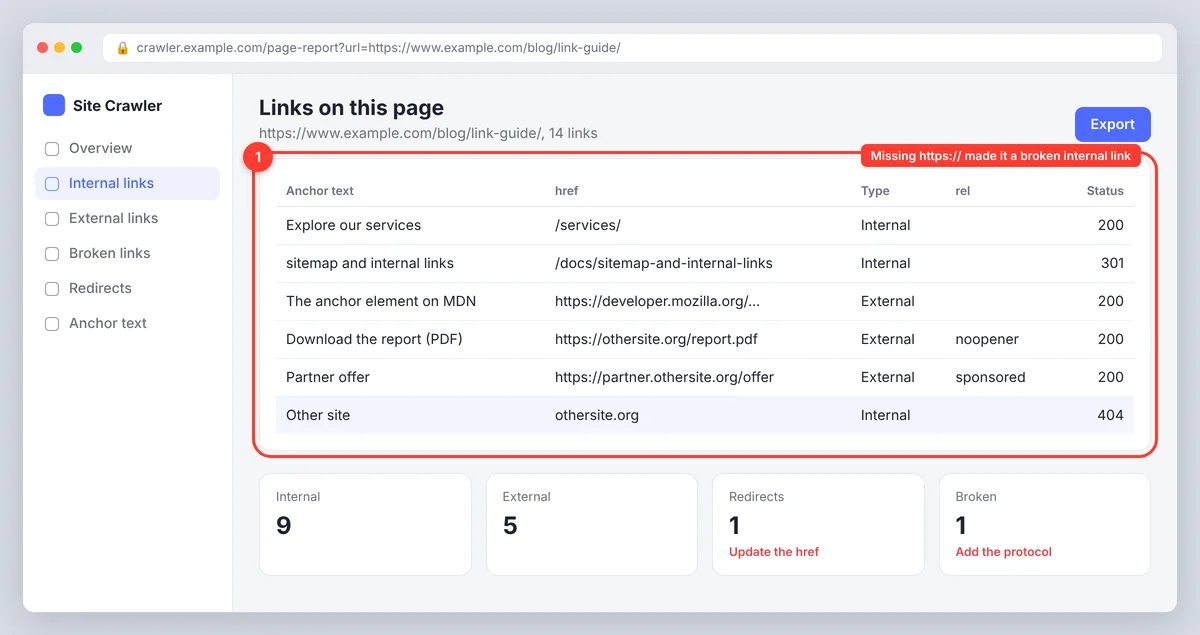
href="othersite.org"is treated as a relative path to/othersite.orgon your own site. - Using
target="_blank"withoutrel="noopener". - Mixing up
<link>and<a>. - Anchor links whose fragment doesn't match any
idon the page, so the click does nothing. - Empty or JavaScript-only hrefs (
href="#",href="javascript:void(0)") used as buttons. Use a<button>for actions and a link for navigation. - Keyword stuffing in anchors repeated excessively across the site, which reads as manipulation to people and can affect rankings negatively.
- Never testing. Open each important link after publishing and after any URL change.
How to check the links on a page
You don't need special software for a single page. Open the page, right-click and choose View Page Source, then search for <a to see every hyperlink and its attributes. Browser developer tools show the same and let you click straight to the element. For a whole site, a crawler lists every internal and external link, its status code and its anchor text, so broken links and redirect chains stand out. Google's link best practices are a good checklist: a real <a> element, an href that resolves to a URL, and anchor text that makes sense on its own. Links that only work through JavaScript click handlers may not be followed at all.
Conclusion
Internal and external links use exactly the same HTML: an <a> element, an href and clear anchor text. The destination is the only difference, and it decides what the link does for you. Internal links build your site structure and move authority to the pages you want to rank; external links cite sources and help readers, with rel values marking anything paid or untrusted. Keep the <link> tag for resources, test your links after every change, and they'll keep working for people and for search engines. For more on planning links at scale, see the on-page SEO checklist.
FAQs
How do you give an internal link in HTML?
Use an anchor element with an href that points to a page on your own site, for example <a href="/about/">About us</a>. The href can be a relative path or an absolute URL on your domain.
What is an external link in HTML?
An anchor element whose href points to a different domain, such as <a href="https://developer.mozilla.org/">MDN</a>. Add rel="noopener" if it opens in a new window and rel="sponsored" if it's paid.
What is the difference between internal and external linking?
Internal linking connects pages on the same website and shapes how authority and crawlers move through your site. External linking points visitors to other websites, usually to cite a source or recommend a resource. The HTML is identical; only the destination domain differs.
How do I link CSS to HTML?
Put <link rel="stylesheet" href="/css/site.css"> inside the document's <head>. This loads the stylesheet; it isn't a clickable hyperlink.
Do external links hurt SEO?
No, relevant external links to good sources don't hurt and can make a page more useful. Paid or untrusted links should carry rel="sponsored" or rel="nofollow", and broken outbound links should be fixed, but linking out is normal.