
On this page
- What SEO blog writing is and why it matters
- Step 1: Conduct thorough keyword research for the blog post
- Step 2: Match search intent and the readers' questions
- Step 3: Outline the blog post with SEO in mind
- Step 4: Write seo-friendly blog posts people want to read
- Step 5: Optimize the on-page elements
- Step 6: Focus on readability, structure and accessibility
- Step 7: Add internal links and trustworthy sources
- Step 8: Technical checks before the post goes live
- Step 9: Measure and update
- Step 10: Keep writing for how search is changing
- Frequently asked questions
Blog writing for SEO means writing a post that answers one search question better than the pages already ranking, then making that answer easy for Google to find: a clear title tag, descriptive headings, a readable structure, a few relevant internal links and a page that loads and indexes without trouble. Keyword repetition is a small part of it. Matching what the searcher wants is most of it.
This guide walks through the basics of blog SEO in the order you would actually do it, from choosing a target keyword to measuring the result a few months later. It applies to a company blog, a SaaS marketing site, a niche site or a personal blog on WordPress, and it does not depend on any paid tool.
Key takeaways
- Pick one focus keyword per blog post and check the search results before writing, so the format matches search intent.
- Answer the question in the intro, use clear subheadings, and keep paragraphs short.
- On-page SEO for blog posts is mostly five elements: title tag, URL, headings, image alt text and meta description.
- Add internal links to and from related posts, cite trustworthy sources, and run technical checks before the post goes live.
- Measure in Google Search Console after a few months and update the post instead of writing a near-duplicate.
What SEO blog writing is and why it matters
SEO blog writing is the practice of planning and writing blog content so that it can rank in search engines such as Google and Bing and bring in readers who were looking for exactly that topic. It differs from regular blogging in one respect: the topic and format are chosen from search data, not only from what you feel like writing about.
Done well, a single post keeps attracting organic traffic for years. A blog also gives search engines more pages to understand your website by, builds topical authority across a subject, earns backlinks that product pages rarely attract, and gives you something to share on LinkedIn and in newsletters. Done badly, it produces hundreds of thin posts nobody reads, which helps no one.
Does a blog help SEO? Yes, when the posts answer real searches related to what the site does. Publishing consistently matters less than publishing posts that each have a reason to exist.
Step 1: Conduct thorough keyword research for the blog post
Every post starts with one main keyword, the phrase you want the page to rank for, plus a handful of relevant keywords that describe the same topic in other words. Start from your audience rather than a tool: support tickets, sales calls, forum threads and your own Search Console queries all show how people phrase their problems.
Then check the search data. Search volume tells you how many people are typing the phrase; keyword difficulty tells you roughly how strong the current results are. Informational keywords (how, what, why) suit blog posts best. A phrase with modest volume that fits your expertise usually beats a broad term you cannot compete on. For a fuller method, read our keyword research guide.
Before you commit, search your own site for the topic. If a post already targets the keyword, optimizing it is almost always better than publishing a second one that competes with it.
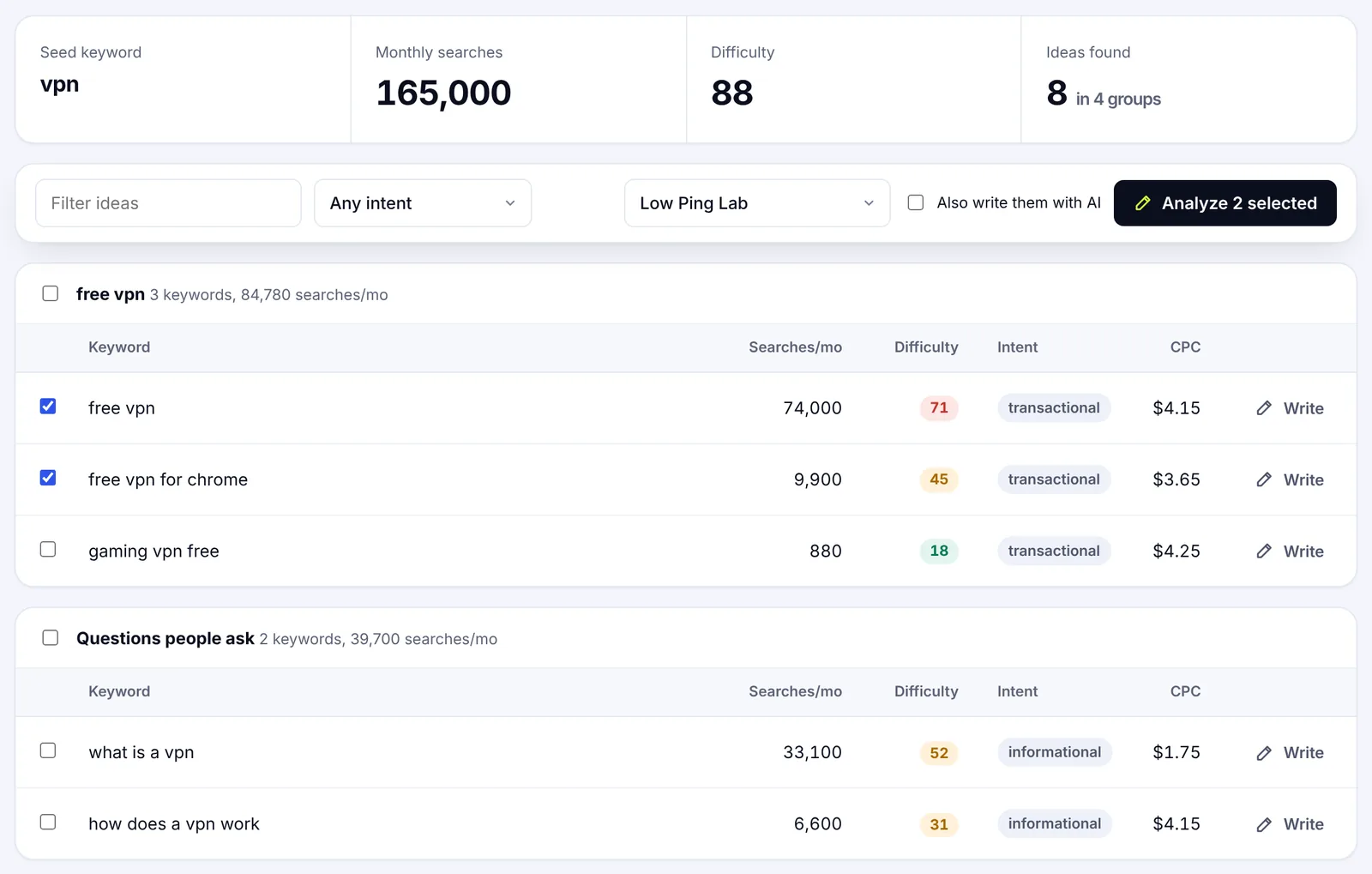
Group related keywords into one post
Several search queries often deserve one page. "How to clean an email list", "email list hygiene" and "remove inactive subscribers" are the same intent and belong in the same post. Separate posts for each would split your effort and leave each page thinner than the one that currently ranks. Our keyword clustering guide covers how to sort a long list into page-sized groups.
Step 2: Match search intent and the readers' questions
Search intent is what the person wants to happen after they search. Before you outline, type the target keyword into Google and look at what ranks. If the top results are step-by-step tutorials, a 600-word opinion piece will not compete. If they are comparison tables, a tutorial will not either.
Note three things from the search results:
- Format. Guide, list, comparison, definition, template, video, and whether a featured snippet or AI Overview sits at the top.
- Depth. Roughly how long the pages are and how many subtopics they cover.
- Questions. The "People also ask" box and related searches show the follow-up questions readers expect answered.
Write those questions down. They become H2s, H3s or FAQ entries, and they are the fastest way to spot content gaps in the pages already ranking.
Step 3: Outline the blog post with SEO in mind
A good outline puts the answer first and the context second. Readers arriving from search want to know within a few seconds that the page covers their question; they will scroll for detail once they trust it.
A reliable outline for an SEO blog post:
- Intro that answers the question in the first two sentences and says who the post is for.
- Key takeaways box for skimmers.
- H2 sections in the order a reader would need them, each with a clear heading and, where useful, H3 subheadings for sub-questions.
- Examples, tables or screenshots wherever a point is easier to show than to tell.
- FAQ for the follow-up questions that do not fit the main flow.
- Conclusion with the one thing to do next.
How long should a blog post be for SEO? As long as the question needs. Look at the length of the pages that rank and aim for the same range; a 500-word answer can rank for a simple definition, while a buying guide may need 2,500 words. Padding to hit an arbitrary number hurts readability and does not help rankings.
Step 4: Write seo-friendly blog posts people want to read
Now write. Draft from what you know: your own experience, interviews, customer data, tests you ran. Generic advice is the one thing search engines already have plenty of, and it is the reason most blog posts never rank. High-quality, in-depth writing content is also what earns the credibility signals Google describes as E-E-A-T.
SEO writing habits that help readers and Google
Some habits that make a post easier to read and easier for Google to understand:
- Lead each section with its point. The first sentence under a heading should answer the heading.
- Place keywords naturally and strategically, not everywhere. Once in the intro, in the title and in one or two headings is enough. Keyword stuffing reads badly and Google treats it as spam.
- Prefer concrete verbs and short sentences. "Compress the image" beats "image compression should be considered".
- Define terms on first use. CMS, CTR, SERP: not every reader knows them.
- Keep paragraphs to two to four sentences, and break up anything longer with a list or a subheading. Clarity beats cleverness.
AI tools such as ChatGPT can help you generate an outline, summarize research or rephrase a stiff paragraph. Bloggers who use them to create content from scratch end up with seo-optimized filler. They cannot supply first-hand expertise, and they confidently invent facts, so treat every AI draft as raw material that an editor checks line by line. If you use SerpPal's AI writer, the draft comes with the terms and questions from the search results already in view, which makes that editing pass faster. The thinking still has to be yours.
Check the content against the ranking pages
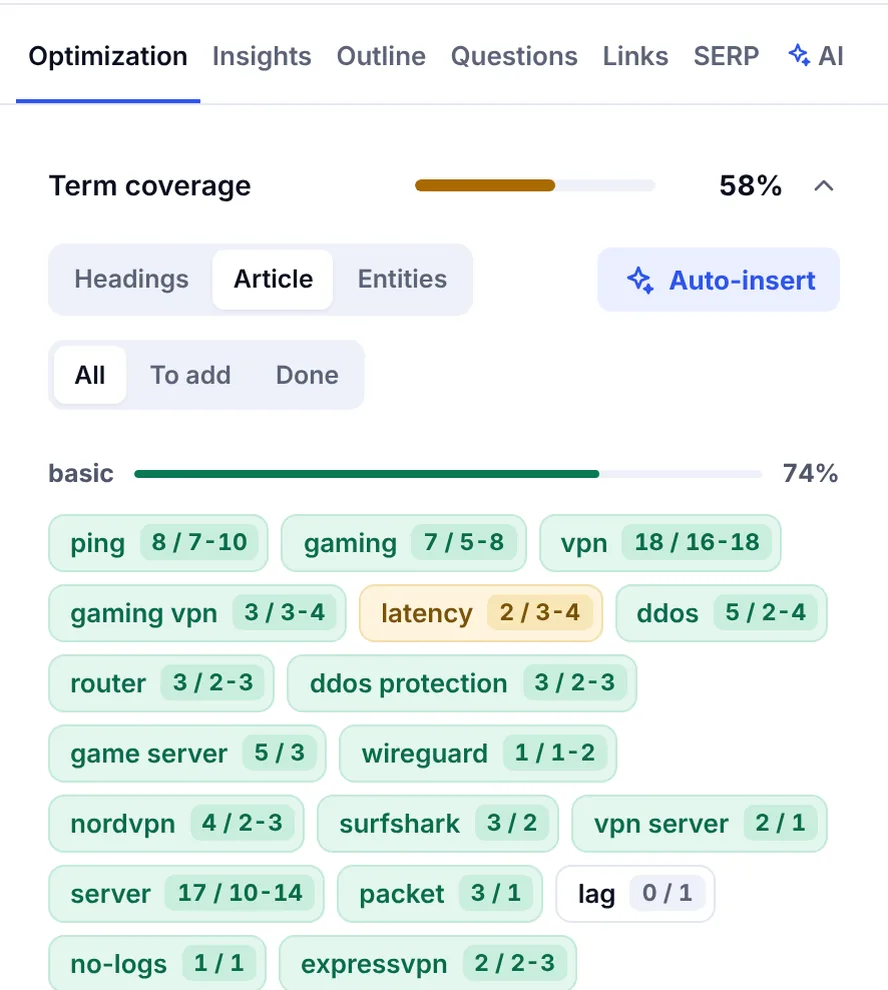
Once the draft exists, compare it with the pages that rank: which subtopics do they all cover that you skipped, and which relevant keywords appear in every one of them but not in yours? A content optimization tool does this comparison automatically and shows a score for the seo content. Doing it by hand with three or four open tabs works too; it just takes longer.
Step 5: Optimize the on-page elements
On-page SEO is the set of elements on the page itself that tell search engines and readers what it is about. For a blog post there are five that matter, and a sixth that occasionally does.
| Element | Best practice | Common mistake |
|---|---|---|
| Title tag | Focus keyword near the front, under 60 characters, compelling and specific | Clever title with no keyword, or over 70 characters and cut off |
| URL slug | Short, lowercase, hyphens, keyword included, no dates | Long slugs with stop words and a date that ages the post |
| H1 | One per page, usually the post title | Several H1s set by the theme |
| H2 and H3 subheadings | Clear, in a logical hierarchy, keywords where they fit naturally | Styled bold text instead of real HTML headings |
| Image alt text | Says what the image shows, in context | Keyword lists, or empty alt on informative images |
| Meta description | 120 to 155 characters, includes the keyword, gives a reason to click | Missing, duplicated across posts, or over 160 and truncated |
Structured data, or schema markup, is the occasional sixth. Article markup with author and dates helps Google understand the page, and FAQ markup can describe a question-and-answer section. Neither guarantees anything, and both must match the visible content.
Title tags and meta descriptions deserve real effort
The title tag is the single most influential on-page element because it decides both relevance and click-through rate. Write three or four versions, read them as if they were in the Google SERPs next to competitors, and pick the one a searcher would choose. The meta description does not affect rankings directly, but a specific, honest one raises click-through, and clicks are the point. For detail on both, see the on-page SEO checklist.
Step 6: Focus on readability, structure and accessibility
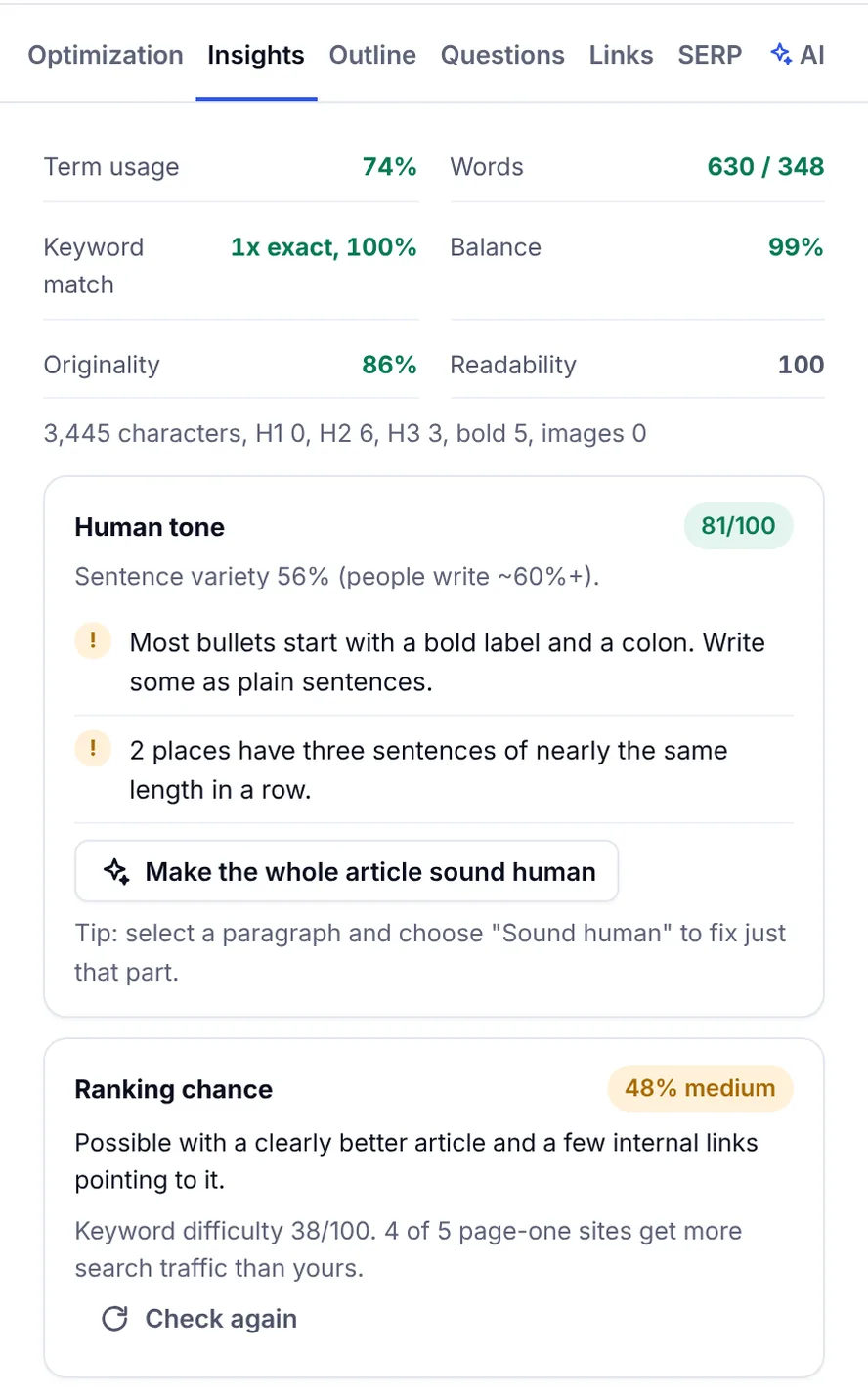
Readability is not a ranking factor by itself, but hard-to-read posts lose readers in seconds, raise the bounce rate, and engagement is what every other signal eventually reflects. A readability check is a quick way to find the sections that run long. SerpPal's readability checker is free and needs no account; the editor also shows a reading score alongside the content score while you write.
Practical rules:
- A subheading every 200 to 350 words.
- Bullets and numbered lists for steps and criteria.
- Tables for anything with two or more dimensions.
- Link text that says where it goes ("see the keyword research guide", not "click here").
- Images and infographics that explain something, with alt text, compressed before upload. Use GIFs sparingly; they are heavy.
- Enough contrast and sensible font sizes on mobile, where most of your audience reads.
Accessibility and SEO overlap almost completely here. A page that a screen reader can navigate is a page a crawler can parse.
Optimize images for your website
Images slow pages down more than anything else on a blog. Resize them to the width they are displayed at, compress them, give them filenames that say what they show, and write alt text that would make sense read aloud. An optimized image also has a chance of appearing in image search, which is a small extra source of visibility.
Step 7: Add internal links and trustworthy sources
Internal links do two jobs: they help readers find the next relevant page, and they help search engines understand which of your pages belong together and which are most important. Every new post should link to two or three related posts or pages, and at least one or two existing pages should link back to it. A new post with no inbound internal links can take weeks to be crawled and indexed.
Use anchor text that says where the link goes. Link from the body of the text, where it is relevant, rather than only in a "related posts" widget. Over time, a set of linked posts on one subject forms a topic cluster, which is how smaller sites build authority on a niche.
External links to authoritative sources support your claims and show readers you did the work. Link to primary sources, official documentation and studies, placed next to the claim they back up. Google's own SEO starter guide is a good example of a source worth citing on this topic.
Step 8: Technical checks before the post goes live
A post that Google cannot crawl and index does not rank, however good it is. Before the post goes live, run through these checks in your CMS:
- Indexability. No accidental noindex, and the canonical URL points to the post itself.
- Permalink. Final slug set; changing it after publication means a redirect.
- Headings. One H1, H2s and H3s in order, no skipped levels.
- Images. Compressed, sensible filenames, alt text written.
- Mobile and speed. Preview on a phone; remove heavy embeds and oversized images.
- Sitemap. The post appears in the XML sitemap, which most platforms handle automatically.
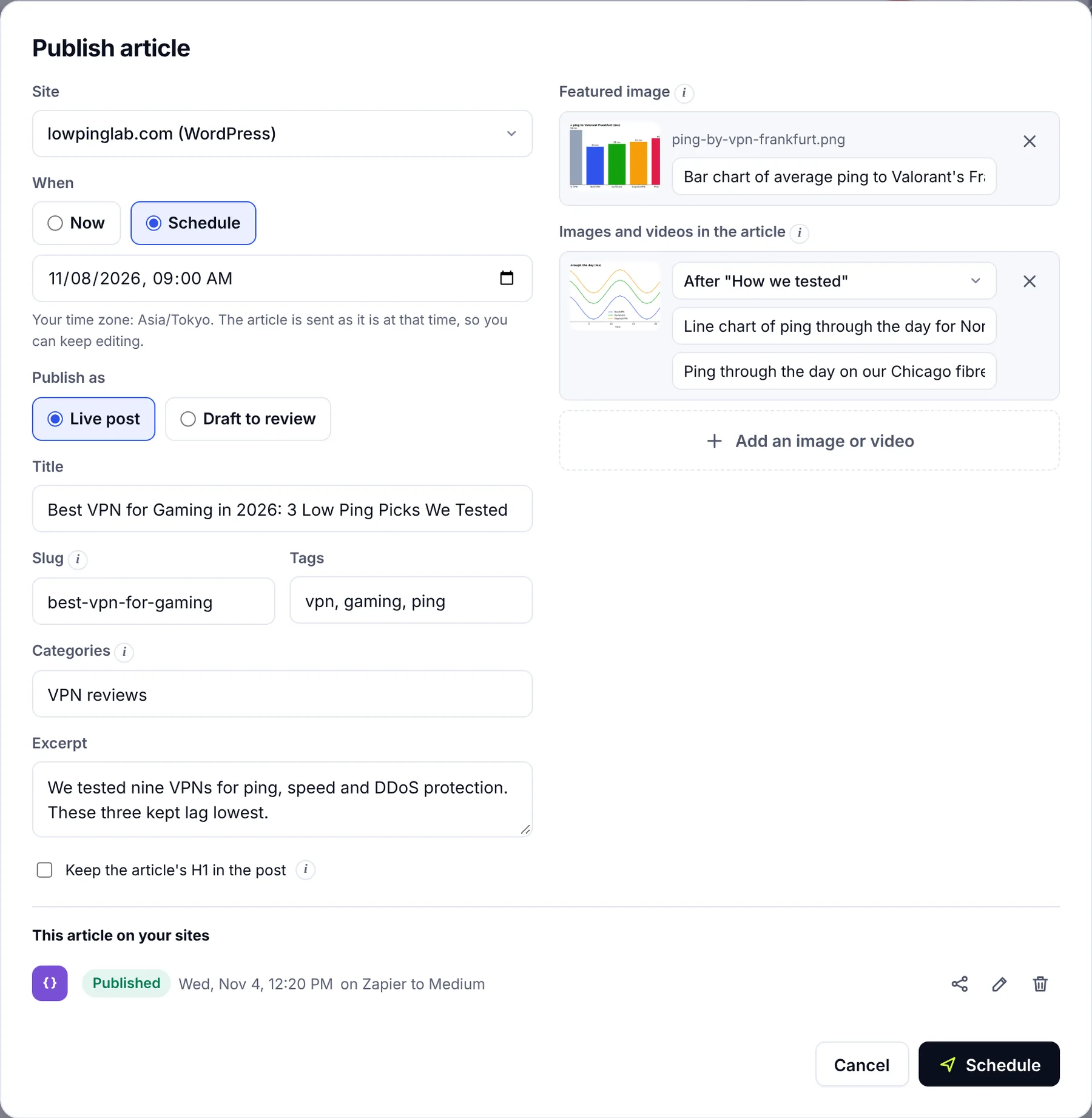
On WordPress, an SEO plugin handles titles, meta descriptions, canonicals and the sitemap from one panel. It cannot judge whether the post is useful, and it is easy to ignore its warnings, so treat the plugin as a checklist rather than a verdict. If you write in SerpPal, the WordPress connection sends the post, images and meta description across in one step.
Step 9: Measure and update
Once the post is live, request indexing for the URL in Google Search Console and give it time. New posts on established sites can rank within days; on new sites it often takes months. Resist the urge to judge a post in week one.
After eight to twelve weeks, open Search Console and look at:
- Impressions and average position for the target keyword and related queries. Rising impressions with a position of 8 to 20 means Google understands the page and it needs strengthening, not replacing.
- Click-through rate. Plenty of impressions but few clicks points to a weak title tag or meta description.
- Queries you did not target. They show what Google thinks the page is about and often suggest a section to add.
Then check Google Analytics for what visitors do after arriving. Traffic that leaves without reading or clicking the CTA suggests an intent mismatch rather than a ranking problem.
Refresh instead of rewriting from scratch
Updating a post that already ranks on page two is the highest-return work in blog SEO. Add the missing subtopic, update outdated facts, improve the title, add internal links from newer posts, and change the date only when the content actually changed. Keep the URL stable; the links it has earned are part of why it ranks.
Step 10: Keep writing for how search is changing
Search results now include AI Overviews, and many readers ask ChatGPT or another assistant before they search at all. The good news is that the same qualities help in both places: a direct answer at the top, clear structure, verifiable claims and a named author with real experience. Our guide to ranking in AI Overviews goes deeper.
What does not help, and never did: footers stuffed with keywords, 300-word posts pushed out daily for the sake of consistency, and AI-generated articles nobody checked. Most SEO tips boil down to the same thing: SEO blog writing is still writing. The optimization is what makes sure the right people find it.
Frequently asked questions
Does writing blog posts help SEO?
Yes, when the posts target real searches related to your site's subject and are good enough to rank. Each post that ranks brings organic traffic, gives you internal linking options and strengthens the site's topical authority. Posts written only to put something out regularly add pages without adding value and can dilute the site.
How long should a blog post be for SEO?
Long enough to answer the question fully and no longer. Check the pages ranking for your keyword and aim for a similar range. Simple definitions can rank at 500 words; detailed guides commonly run 1,500 to 3,000. Word count itself is not a ranking factor, but coverage of the topic is.
How many keywords should one blog post target?
One focus keyword and a small group of closely related phrases that share the same intent. If two phrases mean different things to the searcher, they usually deserve different posts. If they mean the same thing, forcing them into separate posts splits your effort.
Should I use an SEO plugin on WordPress?
It helps. A plugin manages title tags, meta descriptions, canonicals, structured data and the sitemap from one place and flags obvious gaps. It does not evaluate whether the content matches search intent or covers the topic, so use it as a technical checklist and judge the writing separately.
How often should I update old blog posts?
Review posts that get meaningful traffic at least once a year, and sooner when the facts change. Prioritize posts ranking on page two for valuable keywords; small improvements there often move them to page one. Only change the date when the content genuinely changed.