On this page
- What question-based keywords are and why they matter for SEO
- Where to find question-based keywords: PAA, Suggest, Quora and more
- A seven-step workflow to find new keywords from questions
- Examples by intent
- Prioritizing for SEO and PPC
- Common mistakes and best practices
- Final thoughts
- Frequently asked questions
Question keyword research is the process of finding what people ask Google before they choose, buy, fix or learn something, then planning pages that answer it. A question makes search intent obvious: "how do I clean a coffee grinder" wants instructions, "which grinder is best for a small kitchen" wants a comparison. This guide covers where to find question-based keywords (People Also Ask, Google Suggest, Quora, forums and your own customers), which free keyword research tools help, how to check search volume and intent, and how to group what you find into a content plan without creating a page for every entry.
Key takeaways
- Question-based keywords are long-tail keywords with built-in intent, which makes them easier to answer well and easier to rank for.
- People Also Ask, Google Suggest, related searches, Quora and forums are the richest free sources.
- Volume data for these searches is patchy. Judge each one by its intent, the SERP and how many related entries sit beside it.
- Group related entries into one page with H2 or H3 headings; give a separate page only to one with a different intent.
- AI chatbots are good at brainstorming and bad at knowing what people actually search. Verify everything.
What question-based keywords are and why they matter for SEO
Question-based keywords are queries phrased as a question: who, what, where, when, why, how, can, should, which. They matter because the wording tells you what the searcher needs, which page format will satisfy it and often where they are in a decision. A clear, direct answer also earns visibility in featured snippets, People Also Ask placements and citations in AI search answers, where search engines and chatbots such as ChatGPT lift the sentence that answers most plainly.
Individually, most of these searches have modest monthly search volume and weak metrics. Together, a group of related long-tail keywords often adds up to more traffic and visibility than the head term, with less competition, because big sites chase the head term and leave the long tail to whoever answers it properly.
Where to find question-based keywords: PAA, Suggest, Quora and more
People Also Ask
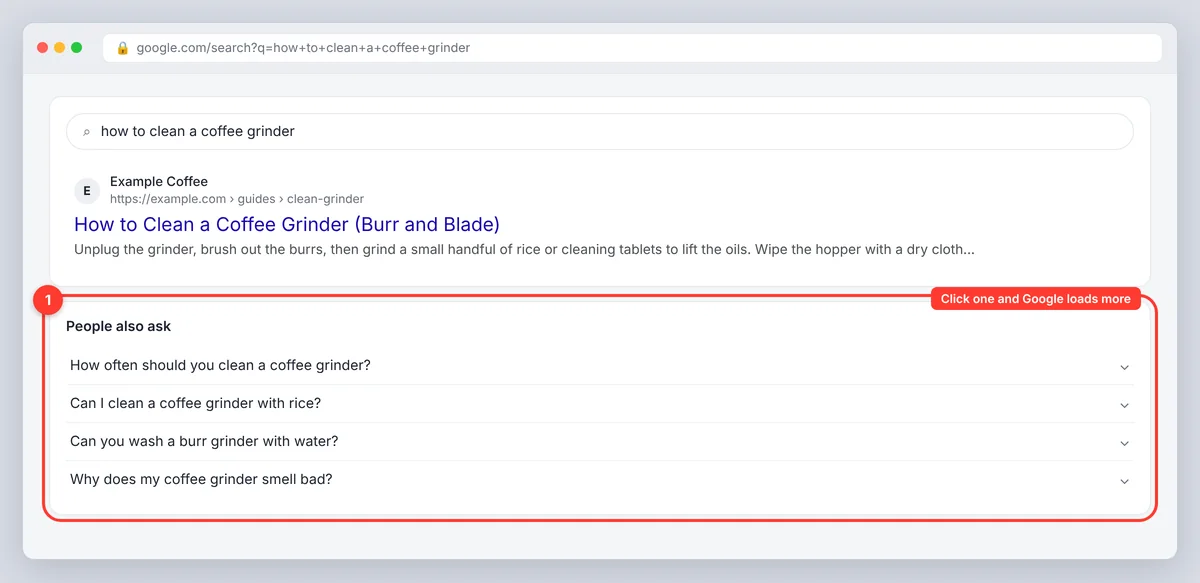
Search your topic and look at the People Also Ask box. Click an entry that fits your audience and Google loads more; keep expanding until they drift off topic. Record each one, its source and the likely intent in your keyword list. PAA tells you what Google already associates with a topic, which is the strongest signal you'll get that the questions people ask there are worth answering. It doesn't tell you volume, and the box changes by location, device and time.
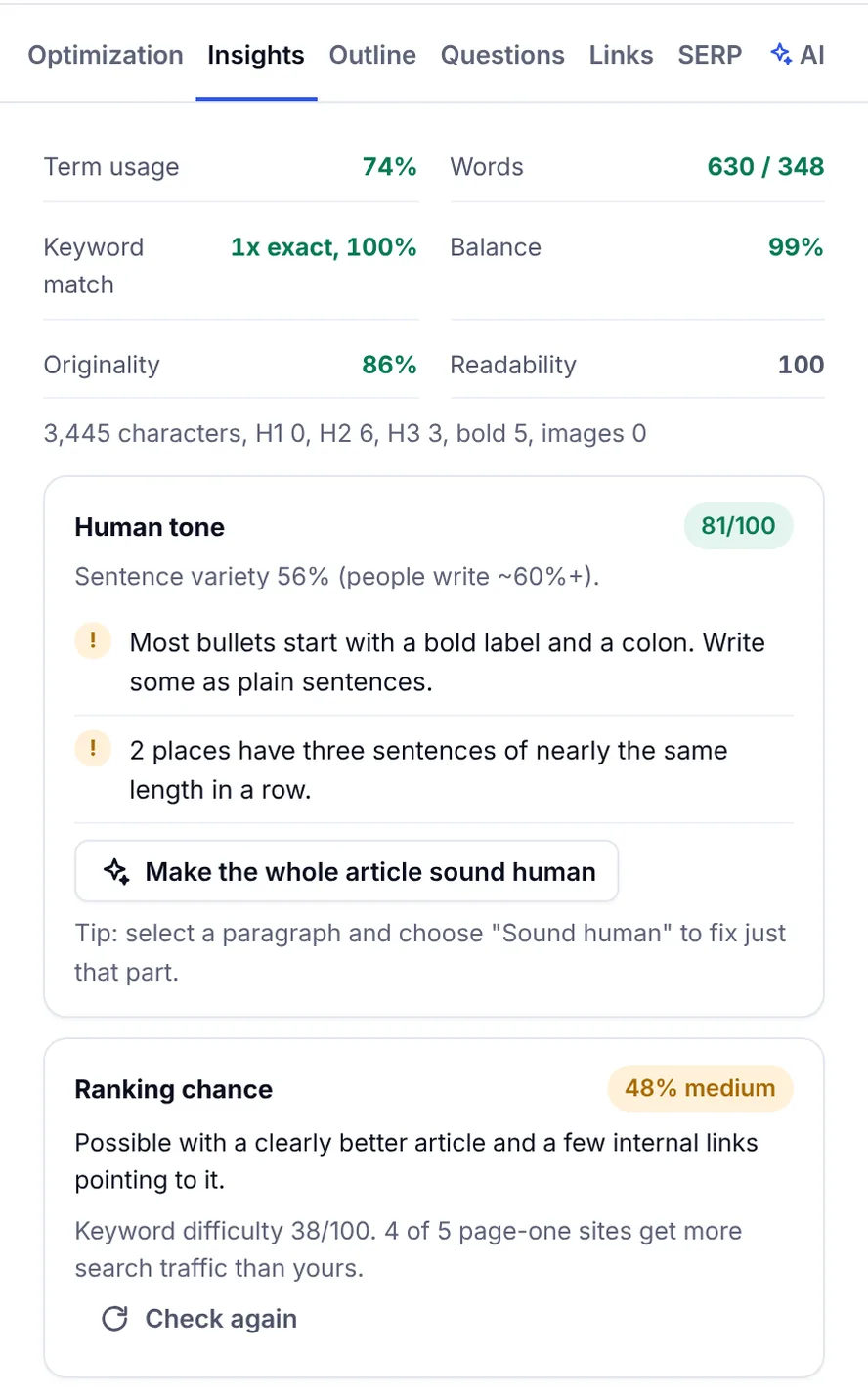
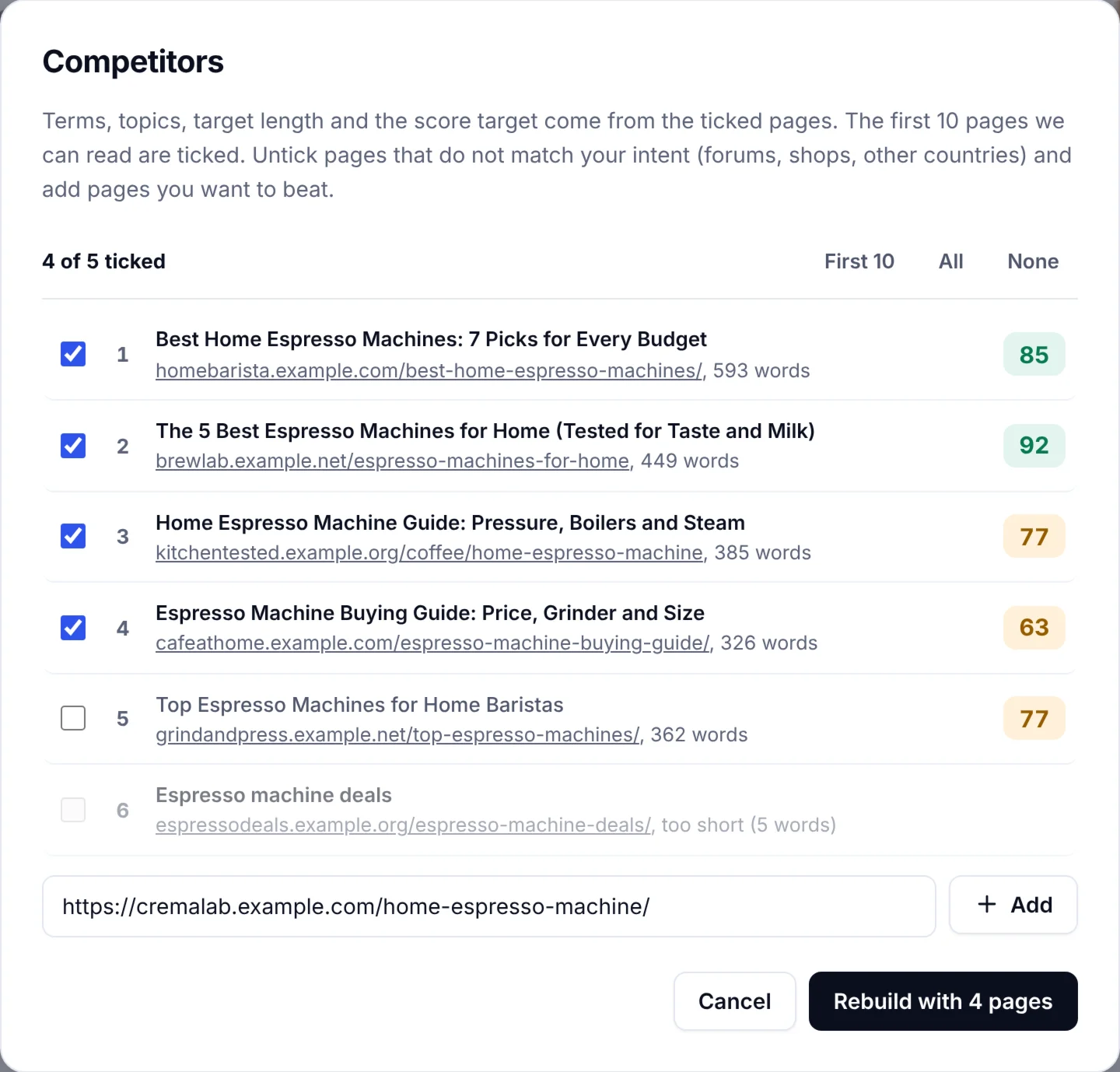
SerpPal's analysis collects the People Also Ask entries for a keyword, plus the questions the top articles answer in their own text, and lists them in the editor's outline and questions panel. You see every one next to the headings the ranking pages use and can drop the relevant ones into your outline with one click.
Google Suggest and related searches
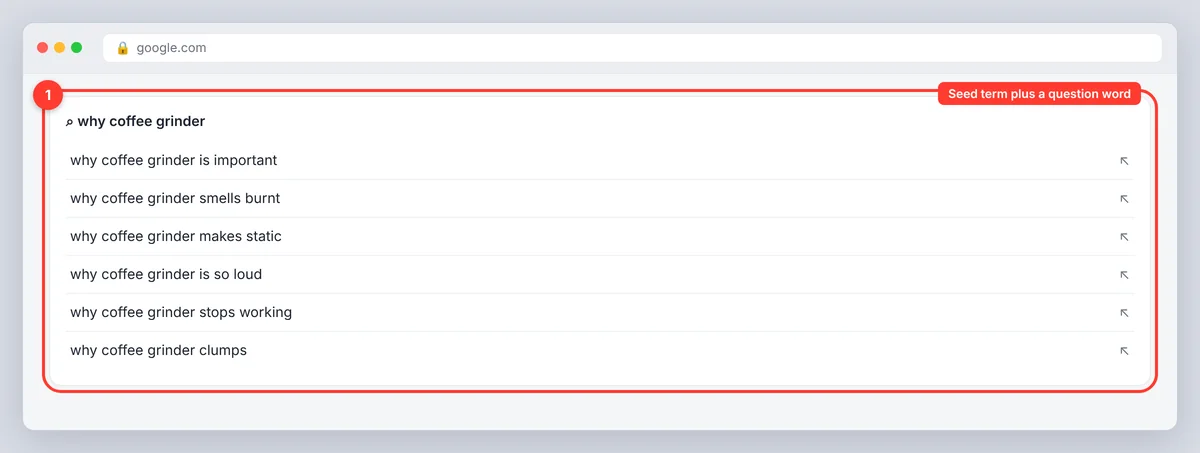
Type a seed term plus a question word ("coffee grinder how", "why coffee grinder") and note the suggestions. Google Autocomplete (also called Google Suggest), the dropdown under the search box, is based on real search activity, though Google explains in its guide to autocomplete that it's a prediction feature, not a popularity ranking. The related searches at the bottom of the results page add variations in the words people actually use.
Quora, Reddit and communities
Quora is built around questions; search your topic there and you'll find what your customers are asking the experts, often in messier, more honest language than a keyword tool shows. Reddit threads, forums, Facebook groups, Pinterest, TikTok and Instagram comments, product reviews, support tickets and sales calls do the same. These sources don't give you volume, but they give you the phrasing and the follow-ups that turn a thin answer into a complete one.
The best free keyword research tools and keyword tool features
Google Keyword Planner suggests related keywords with search volume ranges and CPC, built for Google Ads but fine for a first pass; export the keyword ideas as a CSV. Google Trends shows seasonal patterns. A keyword overview in any SEO tool adds keyword difficulty, backlink data for the ranking domain and real-time trends, which helps you select the right keywords when two look alike. Search Console shows the question searches your site already appears for, which are the cheapest wins on the list.
Paid tools go further. In Semrush, the Keyword Magic Tool has a Questions filter that lists only question-based keywords for a seed term, and Ahrefs Keywords Explorer has a similar Questions report. Both add keyword difficulty, volume and the ranking history of each SERP. They help when you need an in-depth list fast, but the free sources above find most of the same long-tail keywords. Plans change often, so check each tool's official pricing page before you buy.
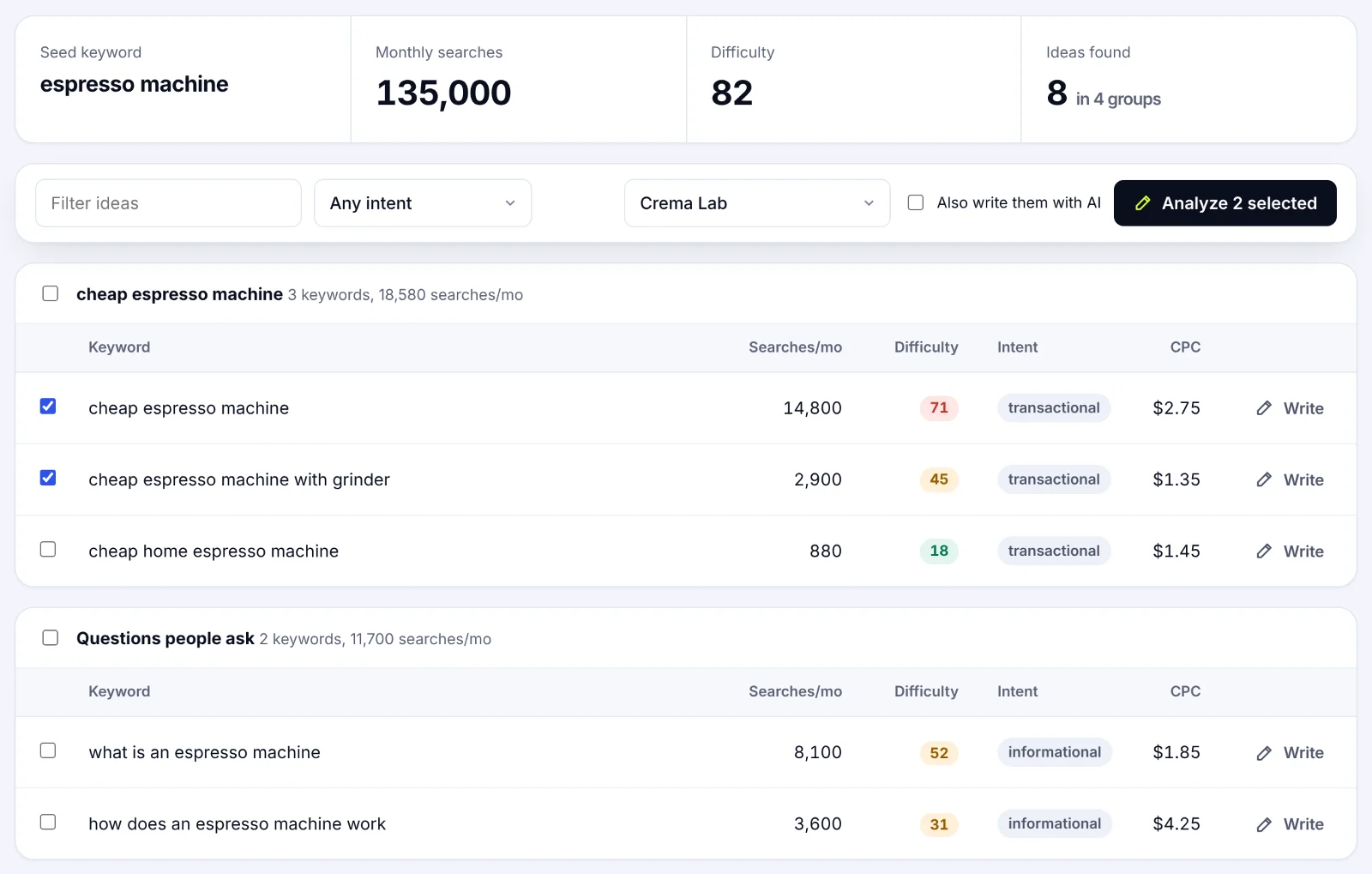
SerpPal's Content Planner returns keyword suggestions for a seed topic with monthly searches, difficulty and intent, grouped into clusters. Question searches (what, how, why and so on) get their own group, called Questions people ask, so the question-based keywords are already sorted for you. Because SerpPal also runs the competitor analysis, you see the keyword opportunities and what the top pages cover in one place.
A seven-step workflow to find new keywords from questions
1. Choose a topic and define the audience
Pick a topic that connects to your product, service or expertise, then narrow the audience. "Meal planning" is broad; "meal planning for a parent with a tight weekday schedule" tells you which questions matter. Write down the audience's experience level, goals and sticking points.
2. Collect candidates from search and other sources
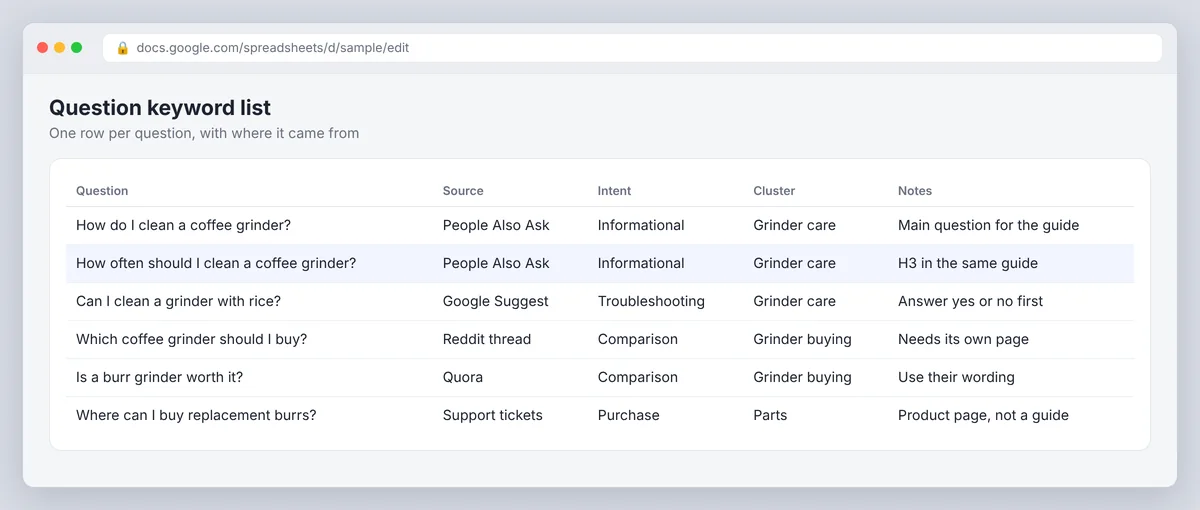
Use PAA, Suggest, related searches, Quora, forums, keyword tools and customer conversations. Search several variations of the seed keywords and save the exact phrasing with its source. A keyword research spreadsheet with the entry, source, intent, cluster and notes is enough; our keyword research template has a layout you can reuse.
3. Expand with AI, then verify
ChatGPT, Claude, Gemini or Perplexity will happily generate fifty questions for a topic and audience. Ask for informational, comparison, troubleshooting and local ones, then treat the output as a brainstorm. Check each promising candidate in Google, PAA or a keyword tool before it goes anywhere near a content plan; AI invents things nobody asks.
4. Classify by search intent
Label each entry by what the searcher wants to do. Informational ones suit explanations and tutorials. Comparison ones ("which is better") need clear differences between options. Purchase ones ("where can I buy") point to product or service pages. Troubleshooting ones need a fix. Local ones need location detail. Intent matters more than the question mark: "where does the filter go" is a tutorial, "where can I buy a replacement filter" is a product page.
5. Analyze search volume, trends and ranking potential
Analyze search volume, keyword difficulty, CPC, trends and, most importantly, the current search results. Analyzing the data this way gives you insights a volume column never will. Metrics for long-tail queries are estimates and often show as zero when real searches exist, so use them to compare, not to predict traffic. Look at the SERP: if the top results are guides, write a guide; if they're videos, consider a video; if a featured snippet shows a 40-word answer, write a better 40-word answer. A specific, low competition entry with modest volume beats a broad term owned by authoritative sites.
6. Cluster similar entries into content groups
Group entries that share intent and can be answered on one page; these topic clusters are the backbone of content marketing in any niche. "How do I clean a coffee grinder" and "how often should I clean a coffee grinder" belong in one guide, with the second as an H3. "Which coffee grinder should I buy" needs its own comparison page. Keyword clustering by intent prevents two of your pages competing for the same search. Give each page a main question and use the related ones as headings where they add detail.
7. Turn the list into a content plan
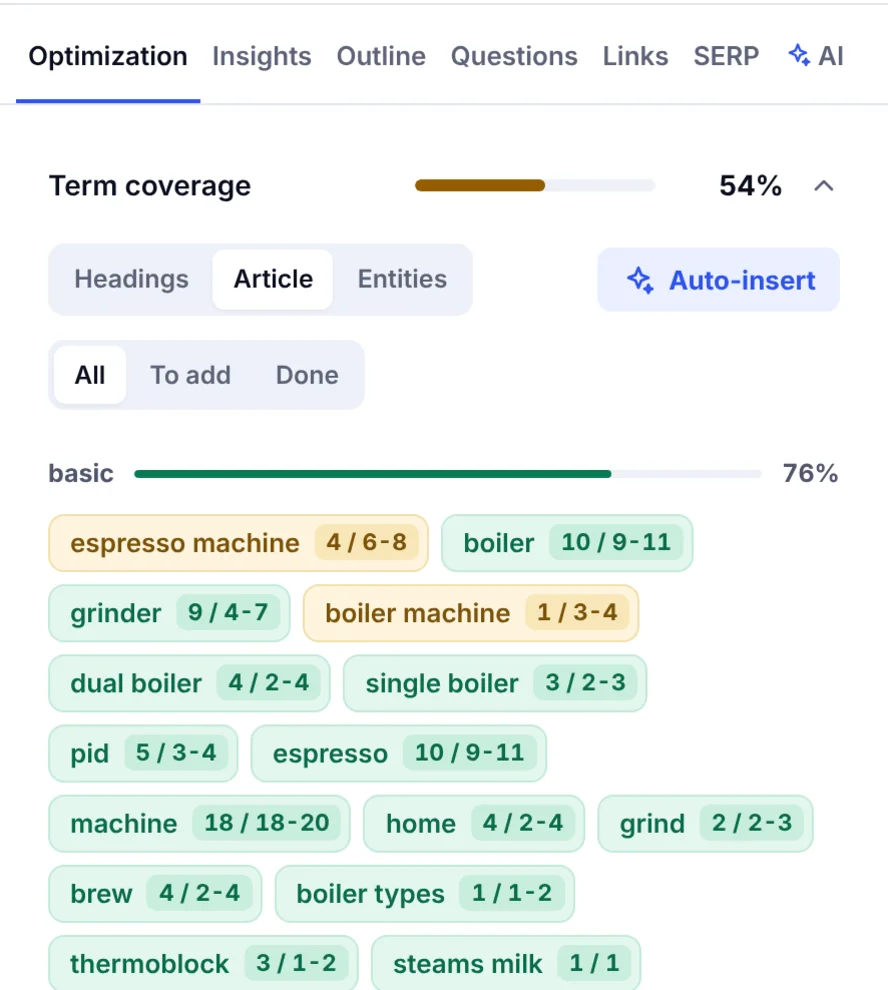
For each planned page record the audience, main question, supporting entries, intent, format and priority, plus an owner, a review date and a column for rank tracking once the page is live. Then write articles that answer directly in the first sentence or two, optimize the title and headings around the wording people use, and add an FAQ section for the leftovers; on WordPress, most SEO plugins can generate the FAQ schema for you. Our guide on how to write SEO content that ranks covers the writing.
Examples by intent
| Intent | Seed term | Example | Format |
|---|---|---|---|
| Informational | indoor herbs | How often should you water basil indoors? | Care guide |
| Comparison | accounting software | Which accounting software is best for freelancers? | Comparison page |
| Purchase | standing desk | Where can I buy a standing desk with delivery? | Product or category page |
| Troubleshooting | Wi-Fi router | Why does my Wi-Fi keep disconnecting? | Fix-it guide |
| Local | plumber | Who repairs leaking pipes near me? | Local service page |
These are starting points, not verified volume claims. Adjust them to match your offer and your customers' actual language.
Prioritizing for SEO and PPC
For SEO, favor entries that fit your expertise, match a clear intent and have a realistic path to ranking; relevance and the current results matter more than volume. Check SERP features too: a results page full of videos calls for a different format than one full of written guides. For PPC, focus on commercial relevance, CPC and conversion potential; a buying question can justify an ad even at low volume, while informational ones rarely pay for clicks. Search engine optimization earns the answer over time; paid search rents the placement. Marketers who run both can use the list for ad copy and for content marketing, and a keyword gap check against a competitor shows which questions they answer and you don't.
Using Google Keyword Planner to find ideas and search volumes
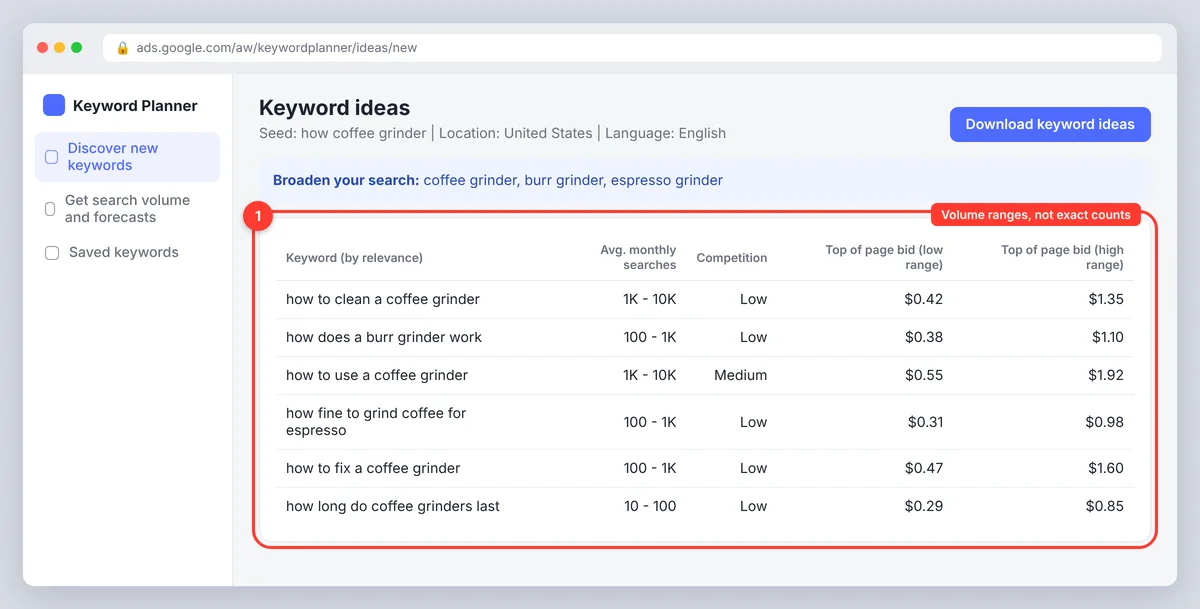
In Google Ads, open Keyword Planner, choose "Discover new keywords", enter a seed phrase or a page, and filter by location and language. Add question words to the seed to bias the suggestions toward questions. Scroll through the keyword ideas, review the search volume ranges, competition and bid estimates, then save or export the relevant ones. Google Keyword Planner shows monthly averages, not daily searches, so use Google Trends for timing. For an existing list, "Get search volume and forecasts" shows volumes and an ad forecast; the forecast is an ad estimate, not organic traffic. Understanding the keyword forecast helps marketing teams budget, and nothing more.
Common mistakes and best practices
- Don't trust AI suggestions without checking them in search results or a keyword tool.
- Don't treat PAA appearances as volume figures or proof of difficulty.
- Don't create separate pages for near-identical entries that share intent.
- Don't chase volume or CPC when an entry has little connection to your audience.
- Don't stuff question phrases into headings where they make the page awkward to read.
- Do answer in the first two sentences, then explain. Snippets, PAA and AI answers all reward that.
- Do revisit the list every few months; PAA boxes change as new entries appear.
Final thoughts
Question-led keyword research is the most direct route from what people want to what you publish, for business owners, marketers and content teams alike. It also prepares you for GEO, generative engine optimization, because AI answers quote pages that answer plainly. Keyword data tailored to a niche beats generic lists every time. The searches are free to find, the intent is written into them, and the competition is usually thinner than for head terms. Collect them, group them, answer them properly, and the rankings tend to follow.
Frequently asked questions
What does the People Also Ask box do for SEO?
It shows what Google associates with a search, which makes it the best free list of question-based keywords for a topic. Answering those entries clearly on your page can win the PAA placement itself, and the box is a source of ideas, not a measure of volume.
Do beginners need a paid keyword research tool?
No. Google Search, PAA, Suggest, Keyword Planner, Quora and your own customers cover the basics. Pay for a tool when free limits stop you exporting, checking difficulty or working as a team; the best keyword tool is the one you'll actually open every week.
Can AI chatbots do this kind of research?
They can brainstorm and sort ideas by intent, but they can't confirm that anyone searches for them. Use them to expand a list, then validate with search results and keyword tools.
How many questions should one page answer?
As many as share the same intent and fit naturally: a main one in the title and H1, related ones as H2 or H3 headings, and the rest in an FAQ. Split into separate pages only when the intent changes, for example from "how to use" to "which to buy".
What is the difference between researching questions for SEO and for PPC?
SEO research looks for entries you can answer with pages that rank organically; PPC research weighs bids, CPC and conversion potential for paid ads. Buying searches often suit both; informational ones usually suit SEO only.