On this page
- Hemingway Editor review: how it works
- What is a good Hemingway readability score?
- Hemingway app vs Grammarly: quick comparison
- Best Hemingway Editor alternatives
- Human editor pros and cons
- How writing clarity connects to cognitive accessibility
- How to improve content readability in any tool
- Final thoughts: summary
- Frequently asked questions
The Hemingway Editor is a readability checker that highlights long, hard-to-read sentences, adverbs, passive voice and complex phrases, and gives your text a US grade level. Named after Ernest Hemingway's famously plain style, it's popular because it does one job simply: it shows you where your writing is hard to follow. If you also want grammar fixes, more formulas, SEO context or a different workflow, good alternatives include Grammarly, SerpPal's free readability checker, Microsoft Word's built-in statistics, ProWritingAid and Readable. All of them are editing aids, not replacements for editing.
This review covers how the Hemingway app works, what its readability grade means, how it compares with a grammar tool, the pros and cons of software vs a human editor, and how to choose.
Key takeaways
- Hemingway shows one readability grade and color-coded highlights for hard sentences, adverbs, passive voice and complex phrases with simpler alternatives.
- A lower level means easier reading. For a general audience, aim for grade 6 to 9.
- Grammar-focused writing assistants focus on spelling, tone and clarity suggestions; Hemingway focuses on how hard each sentence is. Many writers use both.
- Free options cover the basics. Paid tools add integrations, AI-powered suggestions and team features.
- No score measures whether writing is accurate, useful or well organized. Use it as a guide, not a goal.
Hemingway Editor review: how it works
Paste text into the Hemingway app and it colors your writing by problem type:
| Highlight | What it flags | Typical fix |
|---|---|---|
| Yellow sentences | Hard to read | Split into two |
| Red sentences | Very hard to read | Split and simplify |
| Blue | Adverbs | Use a more precise action word |
| Green | Passive voice | Name who does the action |
| Purple | Complex words or phrases | Use the simpler alternative it suggests |
At the side, it shows a readability grade: the US school year a reader needs to follow the text comfortably, plus word count and reading time. A common target with Hemingway is level 9 or lower for most content.
Free vs paid Hemingway
The free web app covers the core checks. The paid desktop app and the Hemingway Editor Plus subscription add features such as offline use, publishing integrations and AI suggestions that can rewrite a highlighted sentence, plus automated feedback on style. Check the current pricing on the official site, since plans and one-time vs subscription options change.
Pros and cons of the Hemingway app
Pros:
- Instantly shows which sentences to fix, at a glance.
- Simple interface with no learning curve.
- Free for the core checks.
Cons:
- One score only; no Flesch Reading Ease, Flesch-Kincaid Grade Level, Gunning Fog, SMOG or Coleman-Liau metrics side by side.
- No grammar, spelling or punctuation checking.
- Suggestions can push every sentence to the same short pattern, which can weaken a varied style.
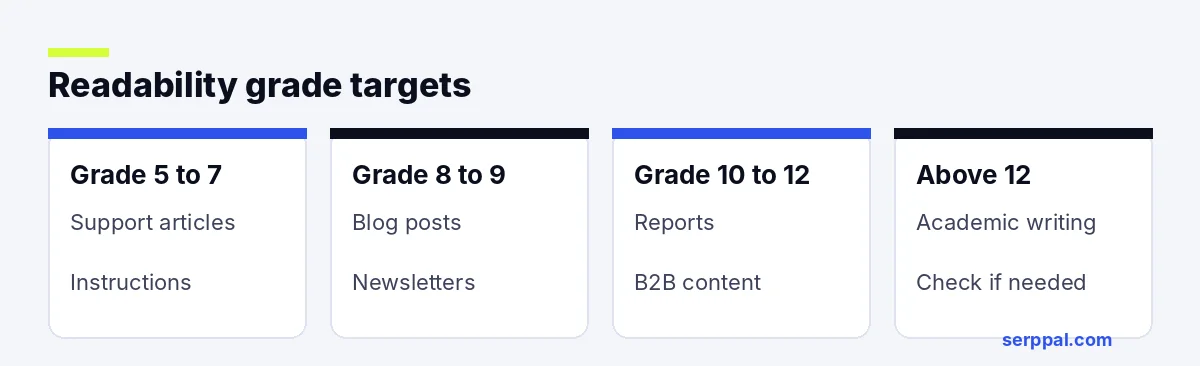
What is a good Hemingway readability score?
Lower is easier. Rough targets by content type, using U.S. school levels:
- Levels 5 to 7: consumer content, support articles, instructions.
- Levels 8 to 9: blog posts, newsletters, general web pages. Most bloggers and content marketers aim here.
- Levels 10 to 12: professional reports and B2B content.
- Above 12: academic or specialist writing; ask whether your audience needs it that dense.
Hemingway app vs Grammarly: quick comparison
| Hemingway Editor | Grammarly | |
|---|---|---|
| Main focus | Readability analysis and clarity | Grammar, spelling, punctuation, tone |
| Score | US school level | Overall writing score (paid plans add more) |
| Highlights | Hard sentences, adverbs, passive voice | Errors, clarity, engagement, tone |
| Where it works | Web and desktop versions | Browser extension, desktop and many integrations, including Google Docs and WordPress editors |
| Best for | Making drafts easier to read | Catching mistakes as you type |
The grammar tool flags errors Hemingway ignores, and Hemingway shows hard sentences that the other tool treats more lightly. If you can use only one, choose based on your biggest problem: mistakes or clarity.
Best Hemingway Editor alternatives
| Tool | Best for | Free option | What it adds |
|---|---|---|---|
| SerpPal checker | Quick free checks, web content | Yes | Reading ease, grade level, sentences to shorten |
| Grammarly | Error checking while you type | Yes | Grammar, tone and clarity suggestions |
| Microsoft Word | Documents you already write in Word | Included with Word | Flesch scores and passive voice percentage |
| ProWritingAid | Long-form and fiction writers | Limited | Detailed style reports |
| Readable | Teams and marketers | Limited | Many formulas, reports and integrations |
SerpPal readability checker
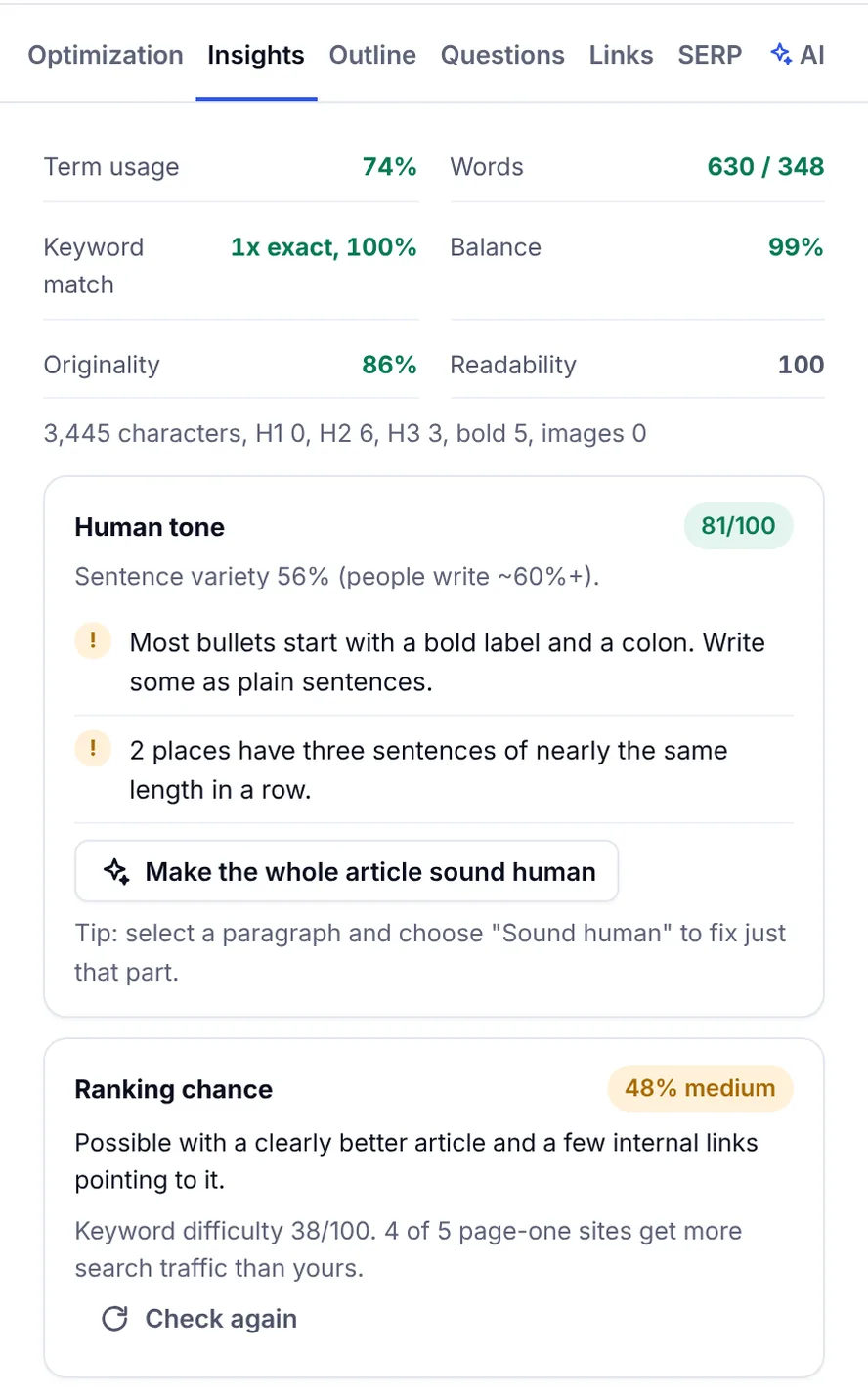
SerpPal's free readability checker gives you Flesch Reading Ease, a readability grade and a list of the sentences to shorten, right in the browser. Paste your text and you see which sentences pull the result down. For SEO content, SerpPal's content editor shows the same checks next to the content score, so you can keep text clear while covering the topics top-ranking pages cover.
Microsoft Word
Word has built-in statistics: Flesch Reading Ease, the Flesch-Kincaid level and the percentage of passive sentences. They're hidden by default; our guide on how to check readability in Word shows how to turn them on.
ProWritingAid and Readable
ProWritingAid combines grammar checks with reports on sentence length, overused words and style, which suits novelists and long-form writers. Readable reports many formulas at once and suits marketing teams that need consistent results across many pages.
Human editor pros and cons
Software is fast and cheap; a human editor understands your audience and intent.
- Software pros: instant, consistent, free or low cost, good at mechanical issues.
- Software cons: can't judge meaning, structure or tone in context, and can flatten your voice.
- Human editor pros: spots unclear logic, missing steps and tone problems; gives feedback and suggests real improvement, not just cuts.
- Human editor cons: slower and more expensive.
The practical approach: use a checker for the first pass and a person for anything important.
How writing clarity connects to cognitive accessibility
Clear writing is also an accessibility issue. The Web Content Accessibility Guidelines (WCAG) include a reading level criterion at the AAA level: when text needs more than lower secondary education to understand, provide simpler supplementary content. In Europe, the European Accessibility Act (EAA) raises the bar for accessible digital services. Plain language, short sentences and simple vocabulary help people with cognitive disabilities, people reading in a second language, and everyone reading on a phone.
How to improve content readability in any tool
- Shorten long sentences. Anything over 25 words usually hides two ideas; a shorter version is almost always clearer. AI suggestions can rewrite them, but check the meaning.
- Use common words. "Use" instead of "utilize," "help" instead of "facilitate."
- Prefer active voice. "The team approved the plan," not "The plan was approved by the team."
- Cut adverbs that a more precise word can replace.
- Break up long paragraphs and use headings, lists and formatting for scanning. Good formatting makes text clearer even when the score doesn't change.
Don't chase a number past the point where the writing suffers. Technical content can be clear at a higher level; the aim is to remove needless complexity and improve comprehension. Our guide to readability scores explains the main formulas, and a quick proofreading pass after any editing tool catches what software misses.
Final thoughts: summary
The Hemingway Editor is a simple, effective way to spot hard sentences. If you need grammar and spelling checks, a grammar-focused assistant is the usual companion. If you want free, browser-based checks with reading ease and the exact sentences to shorten, SerpPal's checker covers that. For long documents in Word, the built-in statistics are already there. Pick the tool that fits where you write, and judge results by whether people understand you.
Frequently asked questions
Is the Hemingway Editor free?
The web version is free for the core checks. A paid version and a subscription plan add features such as offline use, integrations and AI suggestions.
What does the Hemingway readability grade mean?
It's the US school year a reader needs to understand the text comfortably. Level 8 means a typical 13 to 14 year old could follow it. Lower is easier.
Is Hemingway better than Grammarly?
They do different jobs. Hemingway highlights complex sentences and shows a readability grade; the other flags grammar, spelling and tone issues. Many writers use one while drafting and Hemingway when editing for clarity.
What is the best free alternative to Hemingway?
For quick checks, a free online readability checker such as SerpPal's gives reading ease, a grade level and the sentences to shorten. If you write in Word, its built-in statistics are free too.
Why does Hemingway give a different score than Word?
The tools use different readability formulas and count sentences and syllables differently. Compare drafts within one tool rather than across tools.