On this page
- How artificial intelligence is changing technical writing
- AI tools for technical writers
- AI for technical documentation
- AI for release notes
- AI for proposals, scripts and technical reports
- Prompt engineering for technical writing
- A review workflow with human oversight
- Benefits for teams and organizations
- Considerations when choosing AI tools for technical content
- Skills technical writers need now
- Limits and risks of AI in technical writing
- FAQ
AI is useful for technical writing when you give it accurate source material and keep a person responsible for the result. Large language models (LLMs) such as ChatGPT, Claude and Microsoft Copilot can turn notes, tickets and code comments into technical documentation, user guides, release notes and proposals in minutes, and they're good at restructuring and simplifying. They don't know what your product actually does, so every technical claim, step and number needs review by someone who does.
This guide covers where AI tools help technical writers, prompts for common documents, a review workflow with human oversight, the skills that matter now, and the limits to plan for.
Key takeaways
- AI produces the best first versions when you supply the facts: product requirements, tickets, changelogs, code comments or an expert's notes.
- Good uses: initial drafts, restructuring, simplifying, summaries, consistent terminology and translation.
- Weak spots: invented features, wrong steps, outdated details and confident errors in code samples.
- Use a template and a style guide in your prompts so the output matches your existing docs.
- Every AI-assisted page needs technical review and a test of each procedure before it ships.
How artificial intelligence is changing technical writing
Technical writers spend much of their time turning information from engineers, product managers and support teams into clear, accurate documents. Generative AI fits into that work in a few places:
| Task | How AI helps | What writers still own |
|---|---|---|
| Technical documentation | Turns requirements and notes into structured pages | Accuracy, scope, examples |
| User guides and how-tos | Writes numbered steps from a process description | Testing every step |
| Release notes | Summarizes tickets and changelogs into readable notes | Choosing what users care about |
| API reference | Drafts endpoint and parameter descriptions from an OpenAPI file | Checking against the real system |
| Proposals and reports | Structures sections, summarizes findings | Claims, numbers, commitments |
| Review | Simplifies jargon, shortens sentences, enforces terms | Final voice and correctness |
AI-powered tools automate and accelerate the repetitive, manual parts of authoring, like reformatting, summarizing and first drafts. The result isn't fewer technical writers; it's writers spending less time on the blank page and more on information architecture, accuracy and working with stakeholders.
AI tools for technical writers
Most teams use a mix of tools rather than one:
- General AI assistants like ChatGPT, Claude and Copilot for drafting, summarizing and rephrasing.
- AI features inside documentation platforms such as Confluence, Notion, Document360 and Paligo, which suggest content where you already write.
- Component content management systems (CCMS) built on DITA or other XML standards, where AI helps reuse topics and manage metadata at scale.
- Checkers in Google Docs or Microsoft Word for grammar suggestions, readability and consistency, an essential last step for software documentation and high-quality technical content.
- AI writing tools with brand settings for public docs, help center articles and the occasional blog post that should also rank in search. SerpPal's AI writer can work from attached PDFs, Word files and text files, follow a brand kit for tone and terminology, and check readability, and its content editor shows the topics top-ranking pages cover, which matters for SEO.
When you compare vendors, ignore the trends and look at fit with your writing workflows. Whatever the tool, the capabilities that matter are the same: it takes your source material, follows your structure, and lets you review every change.
AI for technical documentation
Documentation works best with AI when the structure is predictable. Give the model your template (overview, prerequisites, steps, troubleshooting) and the source material, and ask for a first version in that shape. Many teams keep this structure in Markdown, with the same headings on every page, so it can be pasted into any tool.
Example prompt: "Using the requirements below, write a how-to article for admins titled 'Set up single sign-on.' Use our standard structure: one-paragraph overview, prerequisites as a bullet list, numbered steps with one action each, the expected result, and a troubleshooting section with three common errors. Use second person and present tense. Don't add features that aren't in the requirements."
That last line matters. Constraints that keep the model inside your inputs reduce invented details, though they don't eliminate them.
AI for release notes
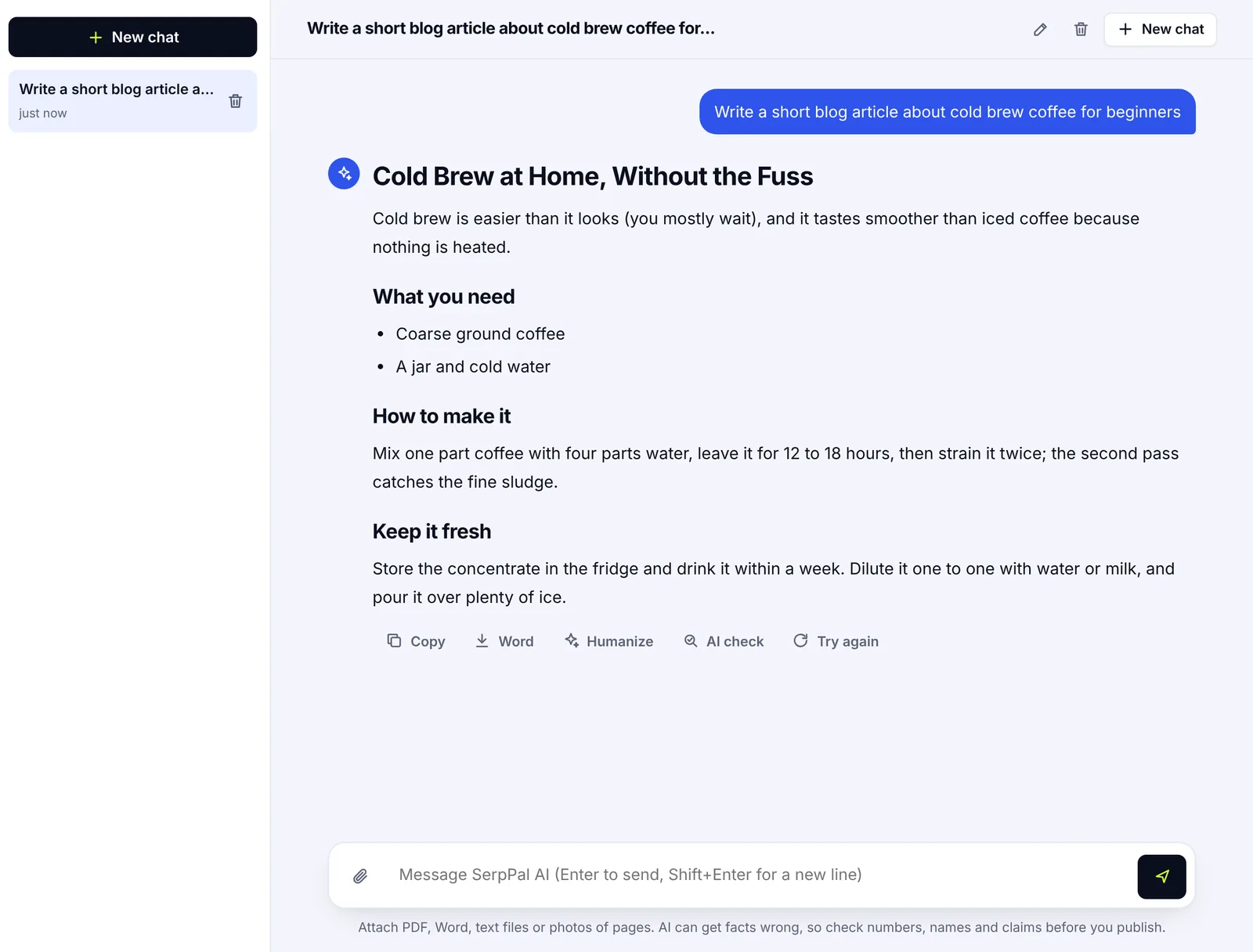
Release notes are a good fit because the data is structured: tickets, commit messages and changelogs. AI can group changes (new features, improvements, fixes), turn engineering language into user language, and keep the format consistent across release cycles.
Example prompt: "Turn these ticket titles into customer-facing release notes. Group them under New, Improved and Fixed. One sentence per item, focused on what the user can now do. Skip internal refactors."
Review the result for anything that overstates a change or reveals internal details.
AI for proposals, scripts and technical reports
For proposals, AI can suggest a structure (problem, approach, timeline, costs, risks) and turn rough notes into clean prose. Keep numbers, deadlines, prices and commitments out of the model's hands: write or check those yourself, because a proposal is a promise. AI proposal writing software can also adapt one proposal to a new client, which saves time on repeat work.
For product demos and tutorial videos, AI script writing turns a how-to article into a spoken script, adds transitions and estimates timing. Read the script aloud and match each line to what's on screen.
Prompt engineering for technical writing
Prompting techniques make a bigger difference than the choice of tool. These AI prompts work as starting points:
- Restructure: "Reorganize this page into overview, prerequisites, steps and troubleshooting. Keep all technical details unchanged."
- Simplify: "Make this paragraph clear for a non-technical admin. Keep every requirement. Grade 8 reading level." Then check nothing was lost.
- Summarize: "Summarize this 20-page design doc into a one-page overview for support staff: what changed, who it affects, what they need to tell customers."
- Consistency: "Revise this page to follow our terminology list: use 'workspace' not 'project', 'sign in' not 'log in'."
- Gaps: "List questions a new user would have after reading this guide."
The gap-finding prompt is one of the most valuable: AI is good at spotting missing prerequisites, unexplained terms and inconsistencies between pages.
A review workflow with human oversight
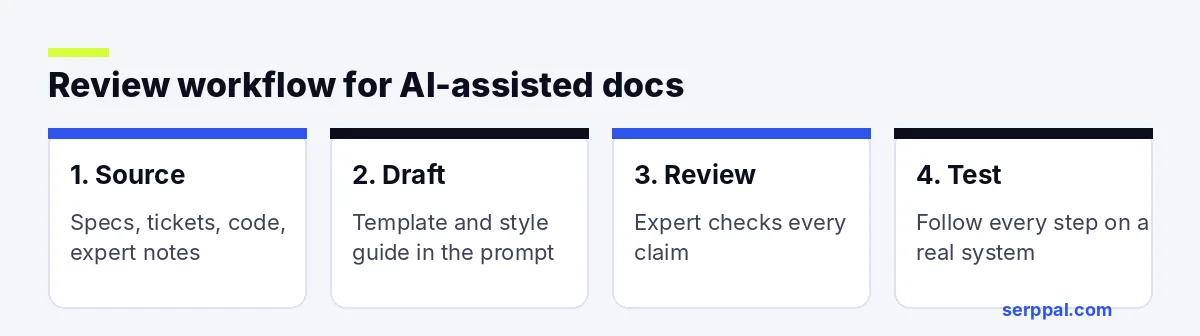
- Collect the inputs: requirements, tickets, code, recordings or SME (subject-matter expert) notes. No inputs, no draft.
- Generate a first version with your outline and style guide in the prompt.
- Technical review: an engineer or product owner checks every claim, parameter and limit, so every fact is verified before editing for style.
- Test the procedure: follow each step on a real system. Screenshots should match the current interface.
- Editing for clarity and audience: short sentences, active voice, consistent terms. A readability checker flags sentences that are too long.
- Publish and track: note the source version so the page can be updated when the product changes, and use analytics and user feedback to see which pages need work.
This keeps accountability with people while AI and automation speed up the writing process, and it's the best practice most documentation teams follow when crafting content with AI.
Benefits for teams and organizations
For documentation teams, the gains show up in a few places: faster first drafts for routine tasks, consistent terminology across hundreds of pages, quicker translation drafts, and less manual reformatting when content moves between tools. Teams that track content performance analysis (which pages users search for, read and rate as helpful) can also use AI to summarize feedback and spot pages that need updates.
Considerations when choosing AI tools for technical content
- Data handling and compliance. Where does your content go, and is it used for training?
- Integration. Does it integrate with your docs platform, CMS or code repository, and can it read your APIs' specs?
- Control. Can you set tone, terminology and structure, and review every change?
- Cost at scale. Per-seat pricing adds up for large teams.
Skills technical writers need now
The skills that matter more with AI in technical writing:
- Information architecture: deciding what goes where, and what doesn't need writing at all.
- Prompt engineering: giving models clear constraints, examples and context.
- Validation: knowing how to validate procedures, verify AI-generated content against the real product, and write explanations users trust. Good technical communication still depends on this.
- Working with stakeholders: getting the right information from engineers and product teams.
- Accessibility and plain language: making technical information usable for everyone.
Human expertise is what turns AI output into documentation people trust.
Limits and risks of AI in technical writing
AI-generated technical content needs the same scrutiny as any other draft, and more in regulated industries, where compliance rules decide what documentation must say. Diagrams, screenshots and nuance about edge cases still need a human.
- Invented details. Models can describe settings, endpoints or options that don't exist. This is the biggest risk.
- Outdated knowledge. A model's training data may describe an old version of a tool or library.
- Broken code samples. Code can look right and fail. Run every sample.
- Confidentiality. Unreleased product details and customer data shouldn't go into tools your company hasn't approved.
- Voice drift. Long AI-generated pages can drift from your style. Shared structures and term lists help with maintaining consistency.
FAQ
Can AI replace technical writers?
No. AI speeds up writing and revision, but technical writing depends on understanding the product, asking engineers the right questions, testing procedures and deciding what users need. Those parts remain human work.
What is the best way to use AI for technical documentation?
Give it accurate inputs and an outline, ask for a first version in your structure, then have a subject-matter expert review it and test every step before publishing.
Is AI good at writing API documentation?
It's good at producing descriptions and examples from an OpenAPI specification, but it can invent parameters or behaviors. Generate from the actual spec and check every endpoint, field and code sample.
Can AI write release notes?
Yes. AI is well suited to turning tickets and changelogs into grouped, user-friendly release notes. Review the output for accuracy and remove internal details before publishing.
Is it safe to put product information into an AI tool?
Only if your company approves the tool and its data handling. Avoid pasting unreleased features, credentials, customer data or confidential code into public AI tools.